AdsPower Browser: A Comprehensive Review of Its Pros and Cons in 2024
.png)

Managing multiple online accounts has become an essential part of building a strong digital presence for businesses. Tools like AdsPower Browser, GoLogin, Hidemium, and other antidetect browsers are proving to be crucial in optimizing multi-account management, ensuring businesses operate efficiently and securely.
According to Hidemium, the trend of using secure multi-account browsers is set to surge in the near future. This article offers an unbiased review of AdsPower—one of the leading browsers in the market. Originating from China, AdsPower has quickly gained user trust thanks to its powerful automation capabilities and flexible pricing, catering to a wide range of users.
But is AdsPower truly the ideal choice for businesses in 2024? Let’s dive deeper and compare it directly with Hidemium to find the best solution!

1. What is Adspower?
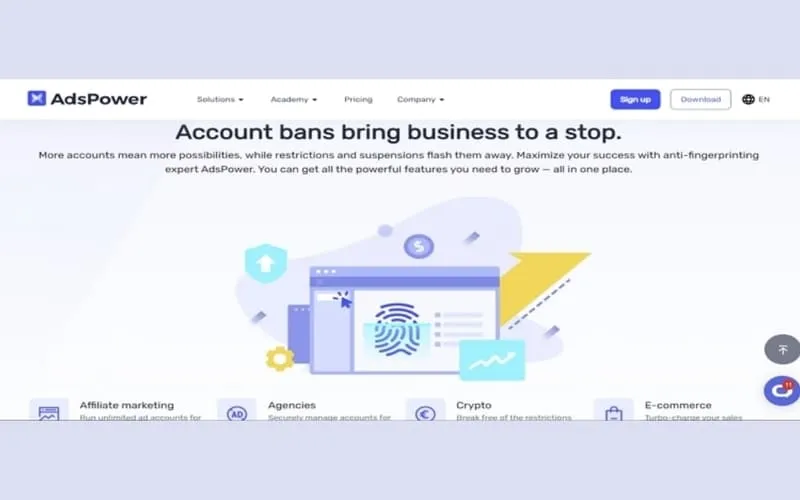
AdsPower is an anti-detect browser that allows users to manage multiple online accounts safely and effectively. With this tool, you can create and manage independent browser profiles, similar to using multiple different computers. This helps avoid tracking and reduces the risk of being banned or having accounts blocked on platforms like Facebook, Amazon, Google, TikTok, and many other websites.
AdsPower not only focuses on protecting privacy and enhancing security but also integrates advanced features like mobile proxies, independent browser environments, real fingerprinting, and advanced ad tracking. It is the ideal tool for both businesses and individuals who need to protect their information and manage online accounts effectively.
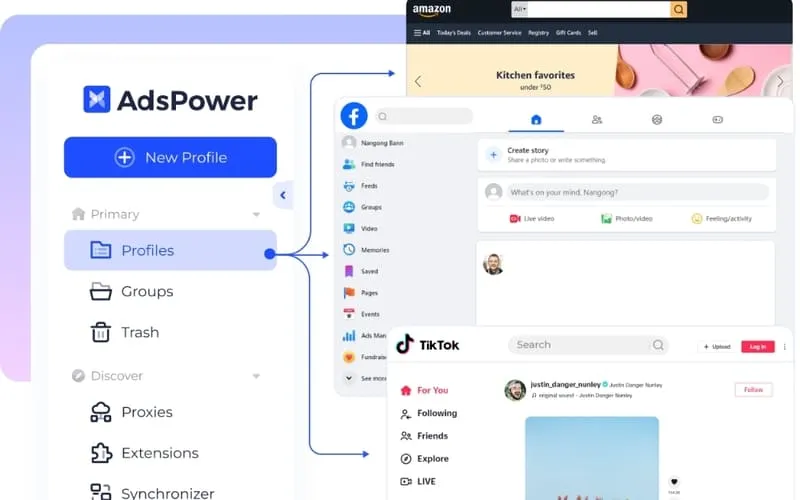
2. AdsPower User Interface and Ease of Use Experience
While AdsPower offers many standout features, its user interface is still not very user-friendly. Compared to the standards of 2024, AdsPower feels outdated, making it difficult for users to get accustomed to, even for those familiar with antidetect browsers or security software.
For new users, AdsPower is not an ideal choice as tasks like creating profiles or configuring proxies require multiple complex steps, along with pop-up windows that can be annoying. This makes the platform time-consuming and hard to navigate, especially for those without technical expertise.
However, AdsPower does have an advantage by offering easy integration with third-party proxy providers like IPIdea, IPFoxy, 922s5, Oxylabs, and BrightData. This is a big plus for users who need to manage multiple online accounts without having to search for proxies externally, helping streamline the workflow more efficiently.
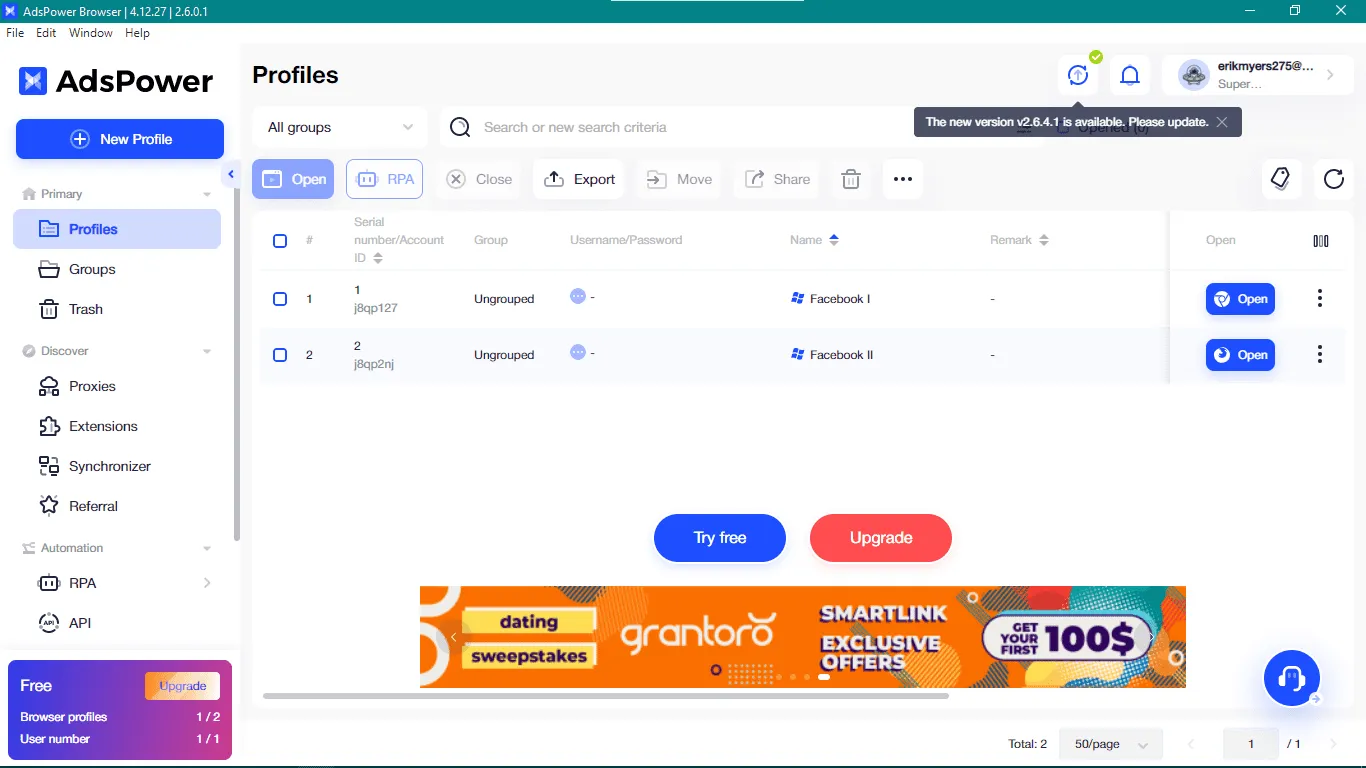
3. Key Features of AdsPower
AdsPower is not just a simple browser, but also a powerful tool that helps individuals, businesses, and MMO users optimize their online activities effectively and securely. Below are the standout features of AdsPower:
3.1. Seamless Multi-Account Management
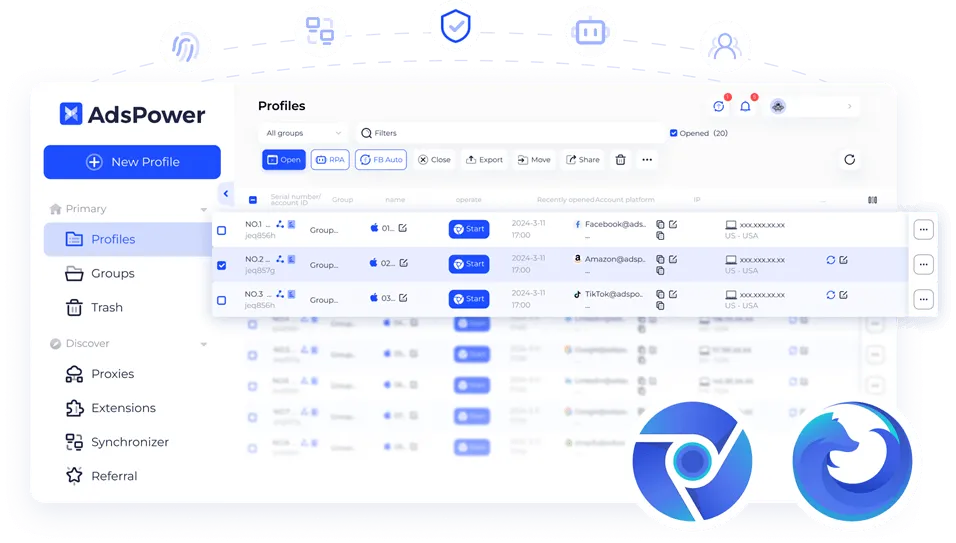
AdsPower allows you to create and manage multiple browser profiles, each with its own settings, helping prevent data leakage between accounts.
Multi-tasking with multiple accounts: Manage multiple social media accounts, emails, or e-commerce accounts on a single platform, eliminating the hassle of switching between different tabs or browsers.
Organized categorization: Sort accounts by group, project, or purpose, making it easier to find and access the desired account quickly.
Secure data storage: Safely store login details, passwords, and settings for each account.
3.2. Automation Without Coding
AdsPower offers simple automation features without requiring any programming skills. Users can create automated scripts by selecting from available commands. Pre-built scripts are also offered for free, enhancing automation and making it easy to manage repetitive tasks.
Synchronizer feature: Synchronize actions across open profiles, meaning any action performed on one profile will automatically copy to other profiles. This ensures consistency and saves time, especially when managing multiple profiles simultaneously.
3.3. Easy Browser Fingerprint Customization
AdsPower supports two main browsers: SunBrowser (based on Chromium) and FlowerBrowser (based on Firefox). Users can create profiles on different operating systems such as Windows, MacOS, Linux, Android, and iOS, offering more options for customizing browser fingerprints as needed.
Create new fingerprint: Simply click "Create new browser fingerprint" in AdsPower, and the tool will generate a new fingerprint with minor changes. You can also add cookies and extensions from the Chrome Web Store to enhance the experience.
3.4. Convenient Team Collaboration
AdsPower allows users to share and manage accounts with team members, track login history, and use filtering tools to quickly identify and resolve issues.
Access control: Grant access and management rights to team members, effectively assign tasks, and ensure data security.
Data synchronization: Synchronize data and activity settings among team members, ensuring everyone stays up-to-date with the latest information.
Communication and support: Support internal communication, share information, and assist each other within the team to boost work efficiency.
With these features, AdsPower helps users optimize workflows and manage accounts effectively and securely.
4. Drawbacks of Using AdsPower Browser
While AdsPower Browser offers numerous useful features, there are several drawbacks that users should be aware of:
User Interface and Experience: One of the main criticisms of AdsPower is its user interface and overall ease of use. Many users find the interface overwhelming, as it contains a lot of information, making navigation and usage less intuitive.
Limited Profile Transfer Support: AdsPower only supports transferring profiles from specific browsers such as Dolphin Anty, Gologin, and Multilogin. This could be inconvenient for users who rely on other platforms.
No Free Proxy Support: Unlike some alternatives, AdsPower doesn't offer free proxy services within the tool. Users must pay for integrated proxy providers, leading to additional costs.
Limited Support for Bookmarks and Extensions: Users cannot add bookmarks directly to their profiles within AdsPower. Additionally, when wanting to use browser extensions, users must manually download and install them rather than selecting from an available extension store.
5. Comparison Between Hidemium and AdsPower
Hidemium and AdsPower are both powerful antidetect browsers, but Hidemium stands out due to its superior features, especially for users in the MMO and E-commerce fields. Here are some key comparison points:
Profile Management and Security
AdsPower allows you to create and manage multiple profiles, but its interface is not very user-friendly and can be difficult to navigate, especially for beginners or those unfamiliar with complex tools.
Hidemium, on the other hand, excels at creating and managing multiple browser profiles with detailed parameters like country, proxy, cookies, and Fingerprint. This helps users optimize account management across various platforms without encountering data leaks or security issues.
Automation Features
AdsPower offers basic automation features but requires some technical knowledge to use effectively and only provides simple automation tasks.
Hidemium provides more advanced automation capabilities, with built-in scripts that allow users to automate tasks like logging in, posting, or clicking. This saves time and improves productivity, particularly for large MMO teams.
IP Switching and Security
AdsPower supports proxies but does not offer free proxies, so users need to pay for integrated proxy services.
Hidemium provides flexible IP switching, supports a wide range of proxies and VPNs, ensuring high security and helping users avoid detection during online activities.
Team Collaboration
AdsPower allows sharing accounts and permissions for team members, but its synchronization and profile-sharing capabilities are somewhat limited.
Hidemium excels in sharing profiles or folders quickly with teams and clients. This feature is crucial for MMO or E-commerce teams, where collaboration and consistency are key.
Operating System and Platform Support
AdsPower supports only certain platforms, and users may face challenges when trying to transfer profiles from other browsers.
Hidemium supports multiple platforms, including Windows, macOS, Linux, and Android, ensuring smooth operation across a wide range of devices without compatibility issues.
Trial Plan and User Support
AdsPower does not offer a trial plan, requiring users to pay upfront.
Hidemium offers an attractive trial plan, allowing users to experience features before committing to payment. Additionally, Hidemium provides daily updated clean proxies, ensuring high-quality service.
Why Choose Hidemium?
Hidemium is not just an antidetect browser; it is a comprehensive solution for complex online tasks. With powerful automation, superior security features, efficient team collaboration, and an appealing trial plan, Hidemium is the ideal choice for those seeking flexibility and high security in their MMO or E-commerce strategies.
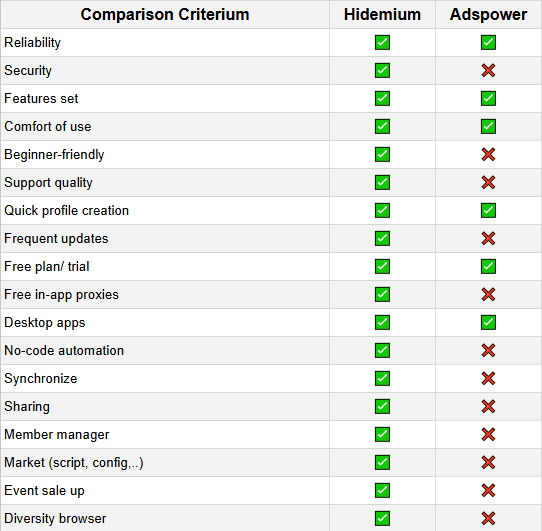
Based on the above comparison table, Hidemium outperforms Adspower in many important criteria such as security, beginner-friendliness, quality of support, regular updates, free in-app proxy, code-free automation, synchronization, sharing, membership management, marketplace, and cross-browser diversity. With these outstanding advantages, Hidemium is considered a better choice than Adspower.
6. Conclusion
Adspower remains an effective tool for those who need to manage multiple online accounts, protect personal information, and browse the web without restrictions. With its rich features, user-friendly interface, and flexible customization options, Adspower is a popular choice in the Antidetect Browser space.
However, investing in a virtual browser like Adspower requires careful consideration. Currently, many new Antidetect Browsers are gaining popularity, with Hidemium being a standout example. Hidemium offers not only a user-friendly interface but also stable performance, advanced features, competitive pricing, and excellent customer support. These advantages make Hidemium a perfect alternative to GoLogin and other Antidetect Browsers.
To experience Hidemium’s features for free, you can download it here:
DOWNLOAD HIDEMIUM FOR FREE
If you have any questions or suggestions, don’t hesitate to reach out to us via Telegram, X, or Facebook. We are always ready to assist you!
Related Blogs
.png)
Affiliate marketing has evolved far beyond launching a single campaign and hoping for conversions. Today’s top-performing affiliates often manage multiple accounts across ad platforms, affiliate networks, social channels, marketplaces, and analytics tools to scale offers, diversify traffic, and reduce business risk. But with greater scale comes greater complexity.Multi-account management can[…]
Best Multilogin Alternative for Teams in 2026The best multilogin alternative in 2026 is Hidemium for teams that need a practical way to manage multiple browser profiles, organize team workflows, assign proxies, separate online workspaces, and scale account operations without adding unnecessary complexity. It also works as a straightforward Multilogin replacement for growing operations.Multilogin[…]

Whether you are a dedicated mobile gamer looking for a competitive edge on a larger screen, an app developer testing a new interface, or someone who manages multiple accounts across platforms, finding the best android emulator is the key to a seamless experience. For those involved in multi-account management or automation workflows, the choice of emulator — and how you pair it with the right[…]
In the context of Surfinite no longer meeting security and automation needs well, many users are turning to more effective alternatives. 2025, Antidetect Browser Hidemium emerges as an option worth considering thanks to its capabilities hidden IP address, anti-tracking, cross-platform support, and AI automation. The article below will Hidemium detailed review – from interface to features to[…]
.png)
Captcha is a popular security tool used on websites to prevent suspicious activities from automated programs (bots). However, Captcha can sometimes be frustrating for users, especially when fast access is needed or when the Captcha becomes overly complex. In this article, we will explore 7 effective ways to bypass Captcha in 2025, allowing you to overcome these barriers legally and safely.1. What[…]
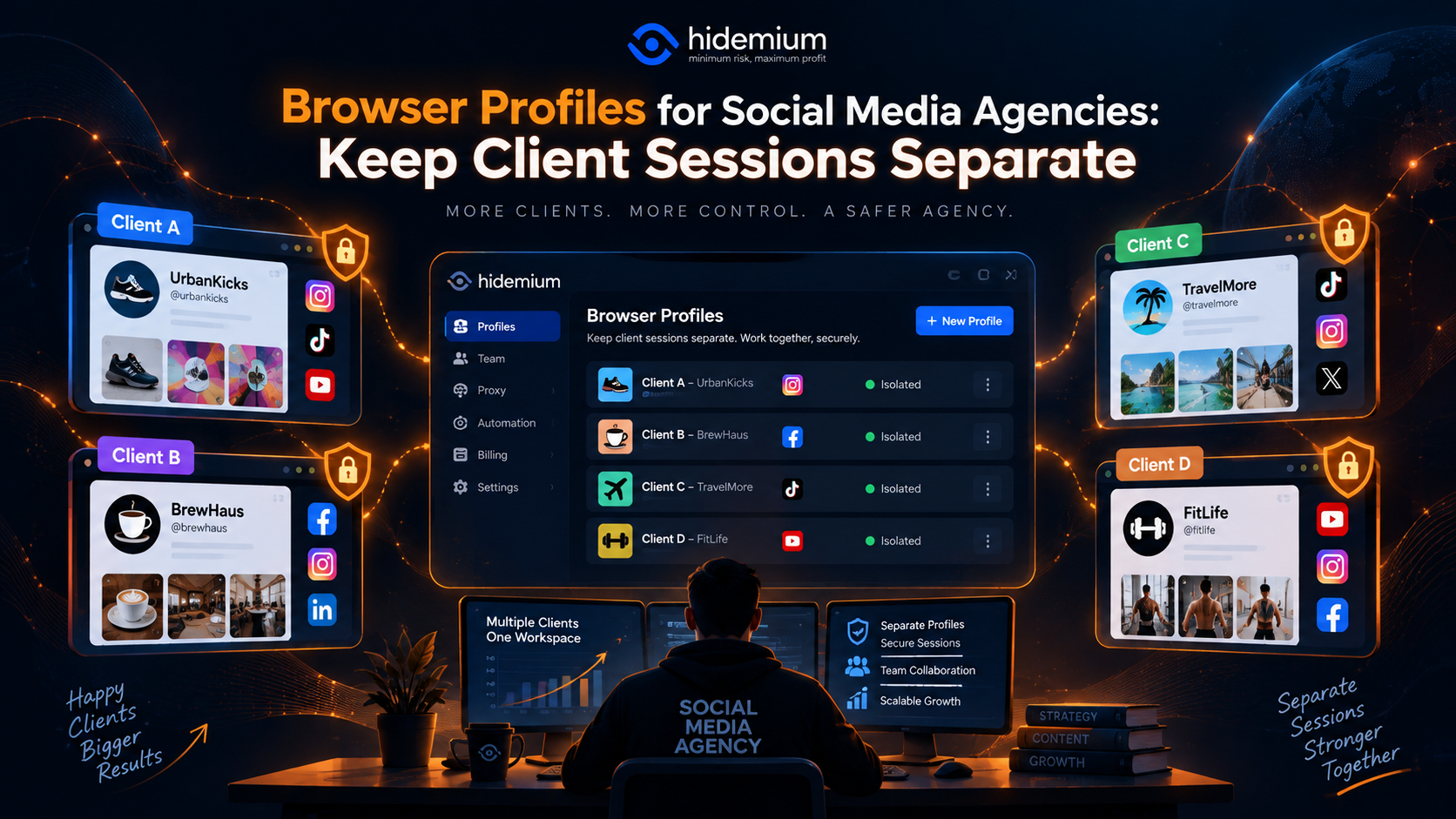
Managing one social media account is easy.Managing 30 client accounts is not.A typical social media agency may have:several Facebook accounts;multiple Instagram profiles;TikTok accounts;LinkedIn company pages;ad dashboards;analytics tools;content schedulers;shared inboxes.The real problem is rarely opening the account.It is making sure the right team member is working in the right client[…]
