How to Effectively Recover a Hacked YouTube Account

In today's digital age, online account security is an important factor for every user. YouTube, the world's largest video sharing platform, is no exception. A hacked YouTube account can lead to loss of data, videos, and even personal or business reputation. In this article, learn how to recover a hacked YouTube account effectively with Hidemium Antidetect Browser.

1. How to know if your YouTube account is hacked
Before proceeding with recovery, you need to identify the signs that your account has been compromised:
1.1. Strange login notification email
If you receive notifications about logins from unfamiliar locations or devices, this is a clear sign that your account may have been compromised. Check the “Recent security activity” in your Google Account. If there's a login from somewhere you don't recognize, It is possible that a bad guy is accessing your YouTube account.. If you don't realize it, this could mean someone is accessing your account without permission.
1.2. Change account information
Check for any changes to your account information such as password, recovery email address, or personal information.If you are not the one doing it, take action now before the channel is completely taken over.. Detecting these changes early can help you prevent further damage.

1.3. Video deleted or changed
If you find your videos have been deleted or new videos that you didn't upload are appearing, this is a clear sign that your account has been compromised. Check your upload history and posted videos to confirm.
2. Recover youtube account
Once you've determined your account is compromised, the next step is to recover it.
2.1. Reset Password
The first step in the account recovery process is to reset your password.
- Go to the YouTube login page.
- Click "Forgot Password?".
- Enter the email address associated with your YouTube account.
- Follow the instructions in the email to reset your password.
Be sure to choose a strong and unique password to increase the security of your account.

2.2. Check login activity
After resetting your password, check your Google account sign-in activity:
- Go to the "Security" page in your Google account.
- Check the list of logged in devices.
- If you detect an unfamiliar device, log out of it.
This will help you remove the hacker's access to your account.
2.3. Account Security
To protect your account in the future, follow these steps:
2.3.1. Enable two-step authentication
For added security, enable two-step authentication:
- Go to the security settings in your Google account.
- Select "Two-Step Verification" and follow the instructions.
Two-step verification requires you to enter a confirmation code in addition to your password, helping to further protect your account.
2.3.2. Change security question
Security questions should also be changed to ensure that hackers cannot access your account. Choose questions that only you know the answers to.
3. Recover videos and account information
3.1. Recover deleted videos
If your video has been deleted, check the "Deleted Videos" section in YouTube Studio. If the video is still recoverable, follow the recovery instructions. This can help you recover important content you created.
3.2. Check personal information
Make sure your personal information has been restored to its original state. This includes your recovery email address and other information. Make sure all important information is correct and secure.
4. Prevent similar situations in the future
To avoid having your YouTube account hacked again, it's important to take security measures. Here are some effective strategies you can use to protect your account.

4.1. Use strong passwords
Your password is the first line of defense for your account. To stay safe, your password should include:
- Uppercase and lowercase letters: Using both of these character types makes the password more complex.
- Numbers and special characters: Adding numbers and special characters like @, #, $, etc. helps increase security.
- Minimum length: Passwords should be at least 12 characters long. Longer passwords are harder to guess.
Avoid using easy-to-guess information like your birthday, name, or common words. You can use password management tools to store and generate strong passwords, making password management easier. This way, you can better protect your accounts and reduce the risk of being hacked.
4.2. Regular updates
Keep your security information and protection software up to date. This will help protect you from new threats. Check for the latest updates and settings for your device.
4.3. Be careful when clicking on links
Avoid clicking on links from unknown sources in emails or messages. These may be phishing attacks designed to steal your personal information. Always verify the authenticity of links before clicking.
5. Contact technical support
If you are unable to recover your account using the methods above, contact YouTube support. They can provide more information and instructions specific to your situation.
5.1. Submit a support request
Visit YouTube's support page and submit a support request. Provide detailed information about the issue you're experiencing to get prompt assistance. Follow the instructions to ensure your request is processed promptly.

Conclude
Having your YouTube account hacked can be a huge hassle, but if you take timely and effective recovery steps, you can regain control. Make sure you maintain a strong security system to protect your account in the future. By taking the necessary security measures, you can minimize the risk of being hacked and keep your account safe.
See more related articles:
Related Blogs
Why Online Privacy Matters More Than EverEvery time you open your laptop or unlock your phone to surf the web, you leave a trail. From the ads that eerily follow you across different websites to the invisible trackers logging your device details, the internet is designed to collect data. This reality makes protecting personal data online one of the most critical digital skills you can master[…]
.png)
You're still posting on X as usual, but performance is unusually low. Tweets aren't appearing in search results, engagement has plummeted, and replies are practically disappearing from your timeline. There are no notifications from the platform, the account is still active — but everything seems silently restricted.This is when many people began to have doubts about shadowban. The problem is that[…]
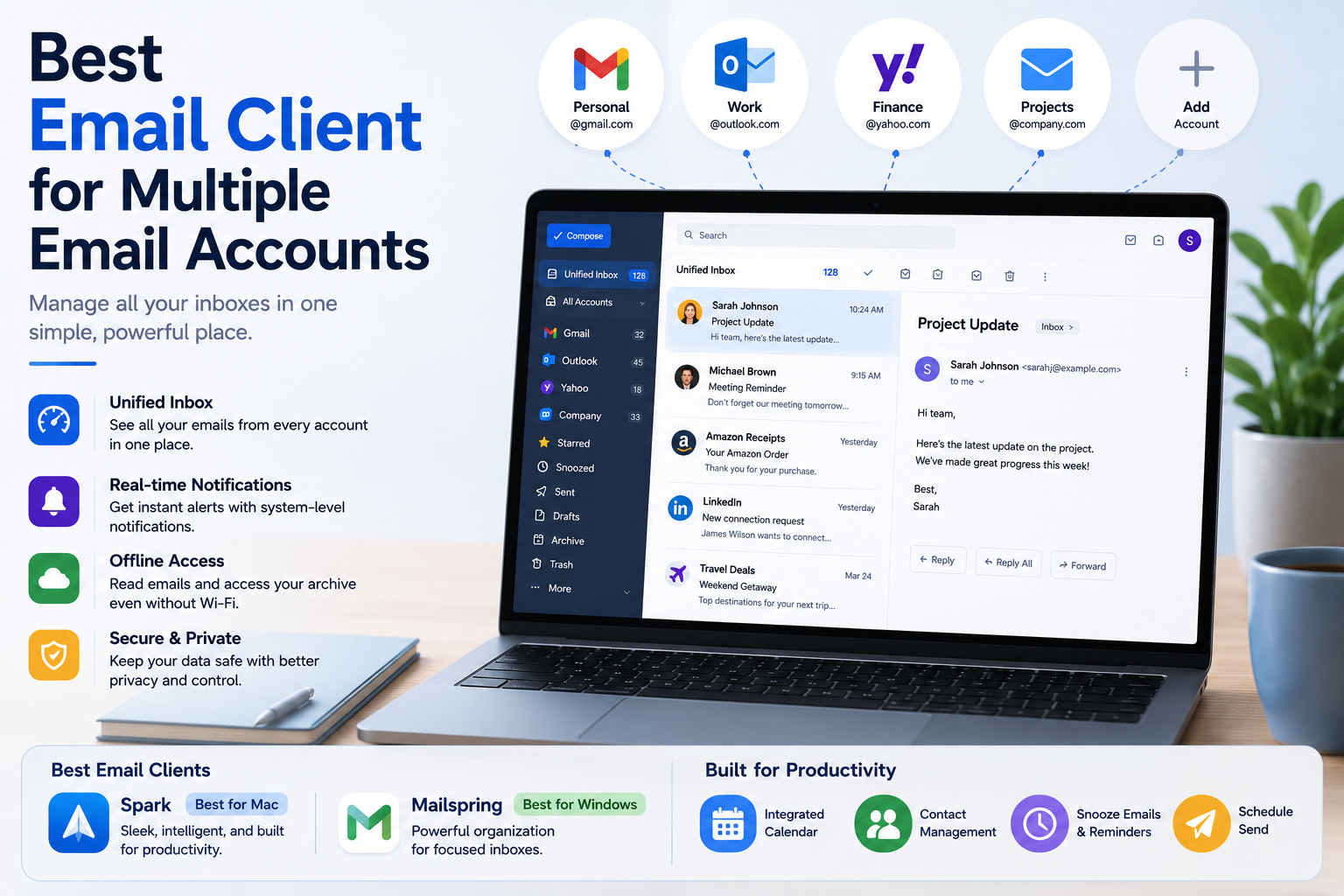
Best Email Client for Multiple Email AccountsThe Hidden Productivity Cost of Managing Multiple InboxesYou open your laptop, stare at a row of pinned browser tabs, and immediately feel a wave of dread. Industry data reveals the average worker loses nearly a month of productive hours each year simply context-switching between different websites. Constantly clicking between your personal Gmail, work[…]
The old story of VPNs is simple. Hide. Mask. Browse. But the world has moved on. So must the tools.Why anonymity alone isn't enoughPeople still think of VPNs as a cloaking device. That belief is narrow. Modern threats are layered. Attacks target devices, cloud apps, telemetry, supply chains, and identities — not just IP addresses. A good encrypted internet connection should do more than hide[…]
The choice AweSun – secure remote access software plays a vital role in helping large businesses, freelancers, and remote workers overcome the barriers of connecting and controlling computers in different locations. The right tools will give you the ability to seamless collaboration, session access and remote file transfer fast, efficient troubleshooting support anywhere in the world.To help you[…]
.png)
Residential proxies enable breathing of browsing software. Residential proxies are more effective at connecting you than data center proxies since they originate from actual devices. Reading this post right now if you’re unsure about the circumstances under which and from whom to get a residential proxy.What is a residential proxy?Proxies are more difficult to identify than datacenter IPs because[…]
