How to Integrate IPRoyal with Hidemium — Complete Privacy at Your Fingertips


How to Integrate IPRoyal with Hidemium — Complete Privacy at Your Fingertips
In today’s digital landscape, privacy, speed, and scalability are crucial. Whether you’re a digital marketer, developer, or eCommerce entrepreneur, managing multiple accounts and operations demands tools that are secure, seamless, and efficient.
That’s why combining Hidemium with IPRoyal creates a powerful solution — one that maximizes anonymity, minimizes detection, and supercharges your workflows. In this guide, we’ll walk you through how to integrate IPRoyal proxies into Hidemium, step-by-step.
Why Use Hidemium?
Hidemium is a modern antidetect browser trusted by professionals across the globe. It offers strong identity protection and allows users to manage countless digital personas with ease.
What Makes Hidemium Stand Out:
- Create unlimited browser profiles with unique fingerprints
- Native support for HTTP/SOCKS proxies
- Built-in automation and session isolation
- Ideal for social media management, scraping, dropshipping, and ad verification
- Clean UI and cross-platform performance
When paired with high-quality proxies like those from IPRoyal, Hidemium becomes your one-stop solution for secure and scalable browsing.
Why IPRoyal?
IPRoyal is a reliable proxy provider offering access to:
✅ 50M+ ethically sourced residential IPs
✅ Rotating and sticky residential proxies
✅ Datacenter, mobile, and sneaker proxies
✅ HTTP, HTTPS, and SOCKS5 support
✅ Affordable rates starting at $1.75/GB
✅ 99.9% uptime and fast response speeds
Whether you're managing accounts across countries or bypassing geo-restrictions, IPRoyal’s flexible proxy network keeps you anonymous and undetectable.
How to Set Up IPRoyal Proxies in Hidemium
1. Download and Install Hidemium
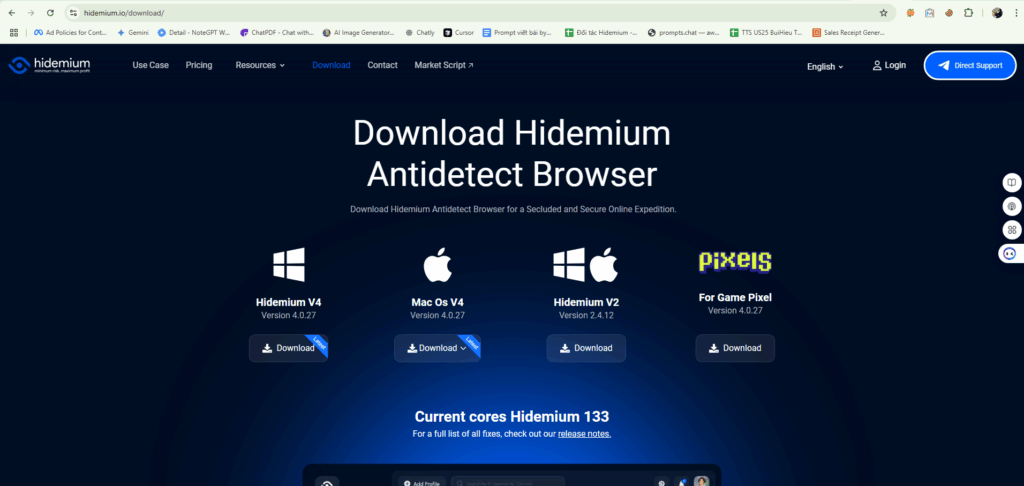
Go to hidemium.io/download and install the latest version for your system.
2. Log into Hidemium and Create a Profile
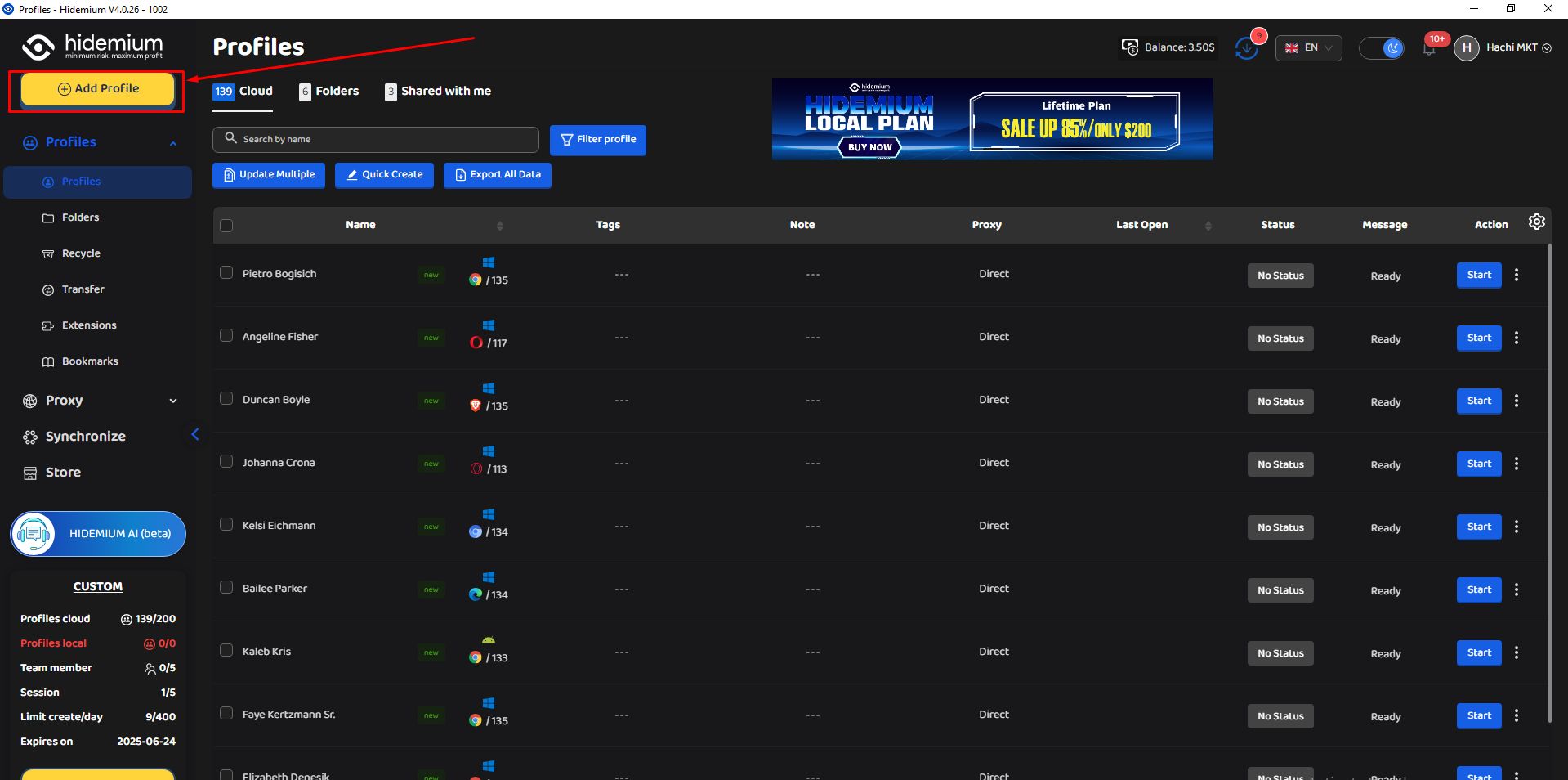
Once inside the Hidemium dashboard, click on “Add Profile” to get started.
3. Sign Up or Log Into IPRoyal
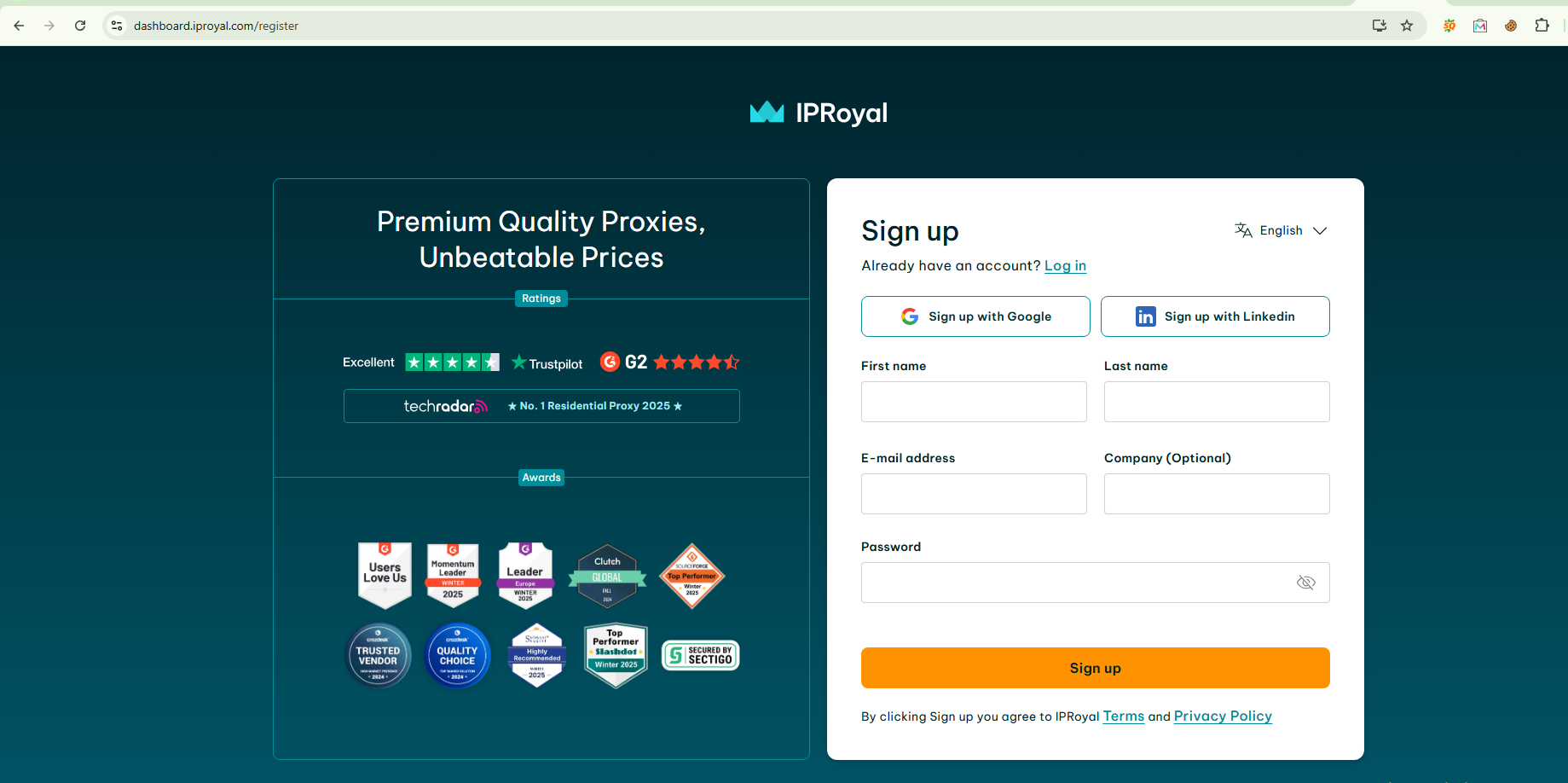
Visit IPRoyal.com and log in or create an account.
4. After you have logged in, choose the proxy that suits your needs and buy it.
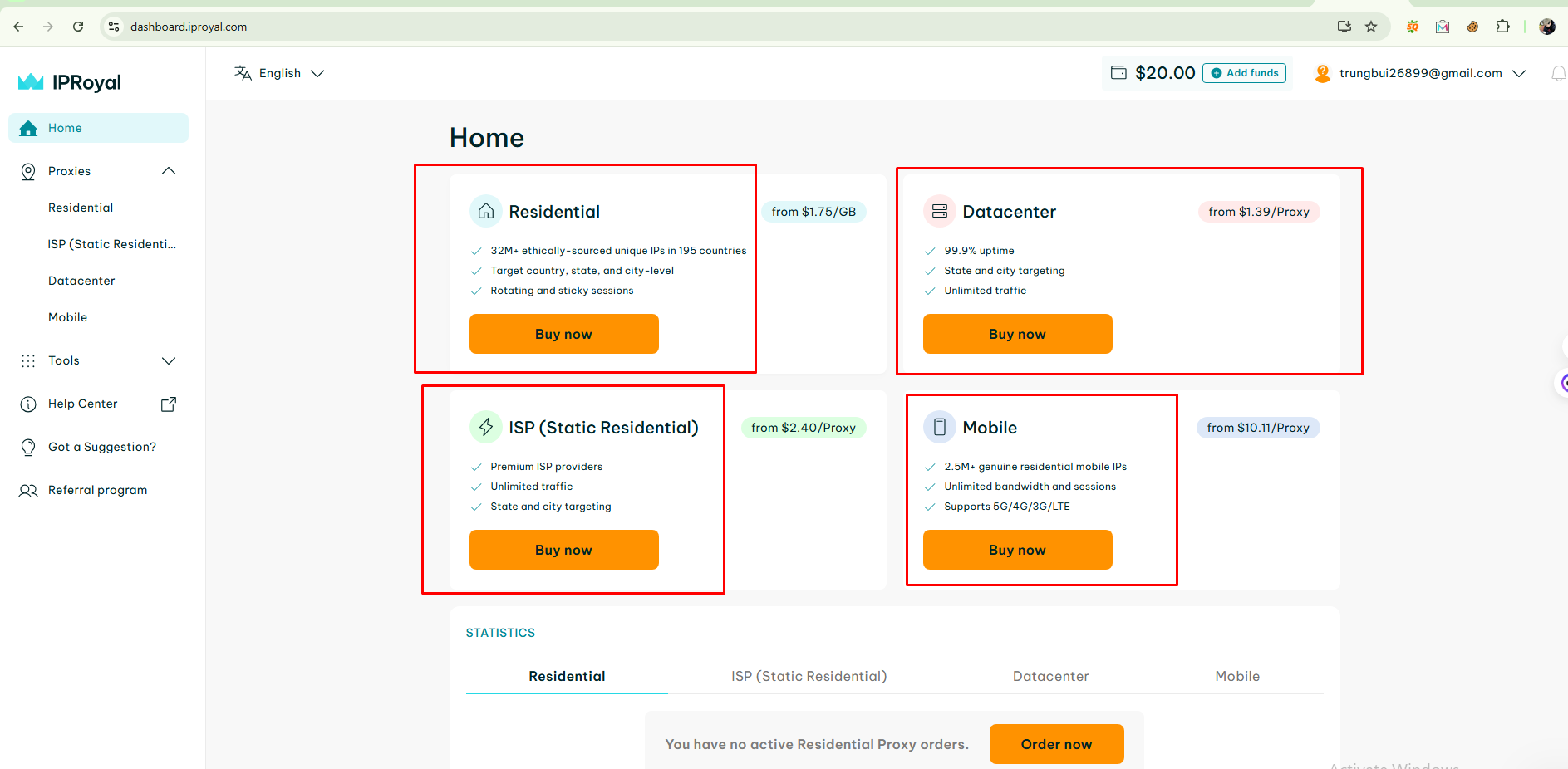
At IP Royal there are many types of proxies for you to choose from such as: Residential, Datacenter, ISP and Mobile Proxy.
5. Proxy access configuration options
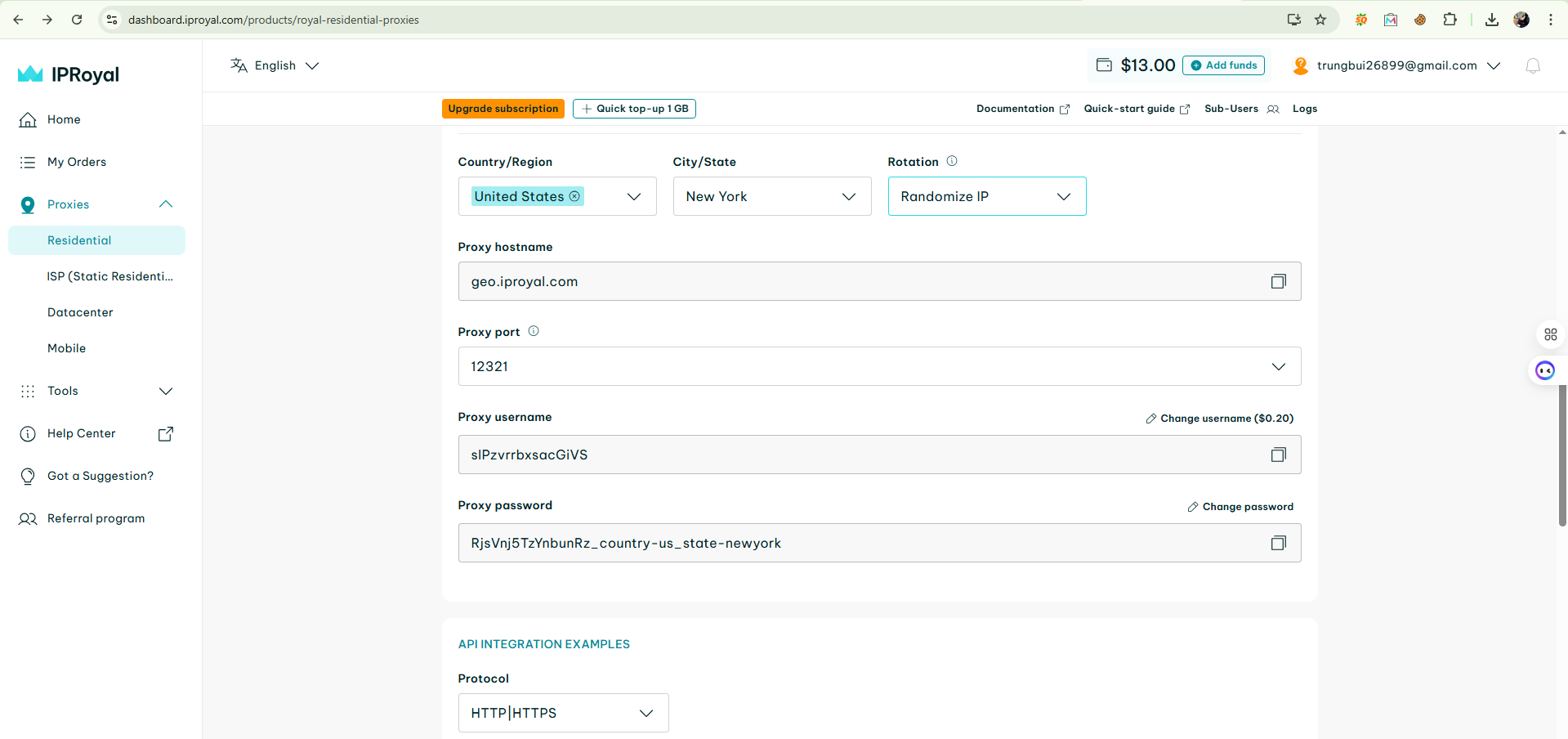
Next, select the IP location you want, here I choose the country as US and the city as New York, proxy format as Socks5, your proxy will be returned as HOST:PORT:USER:PASS or you can customize it.
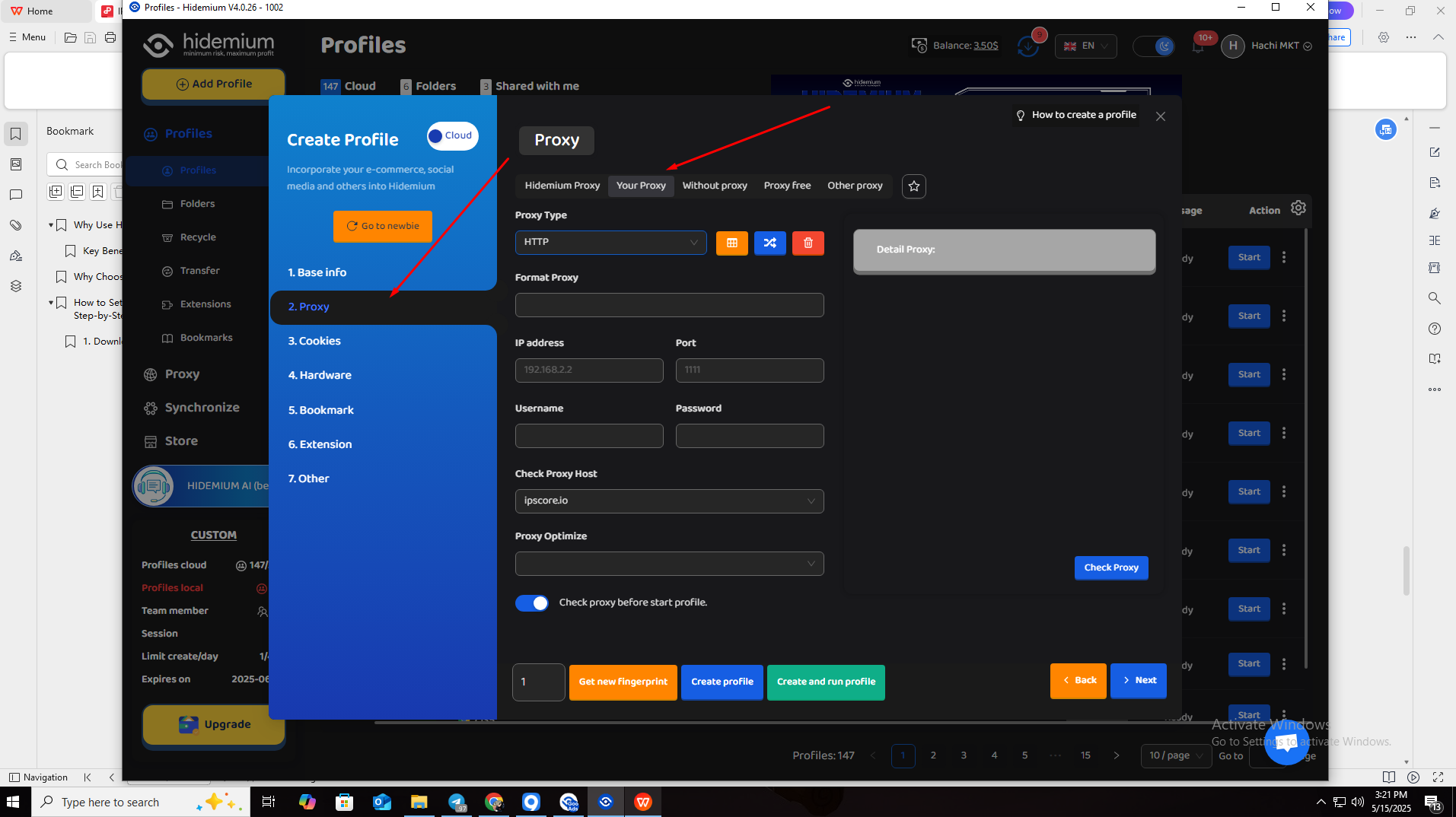
6. Back to Hidemium, after selecting add profile, click on the Proxy column and select Your Proxy
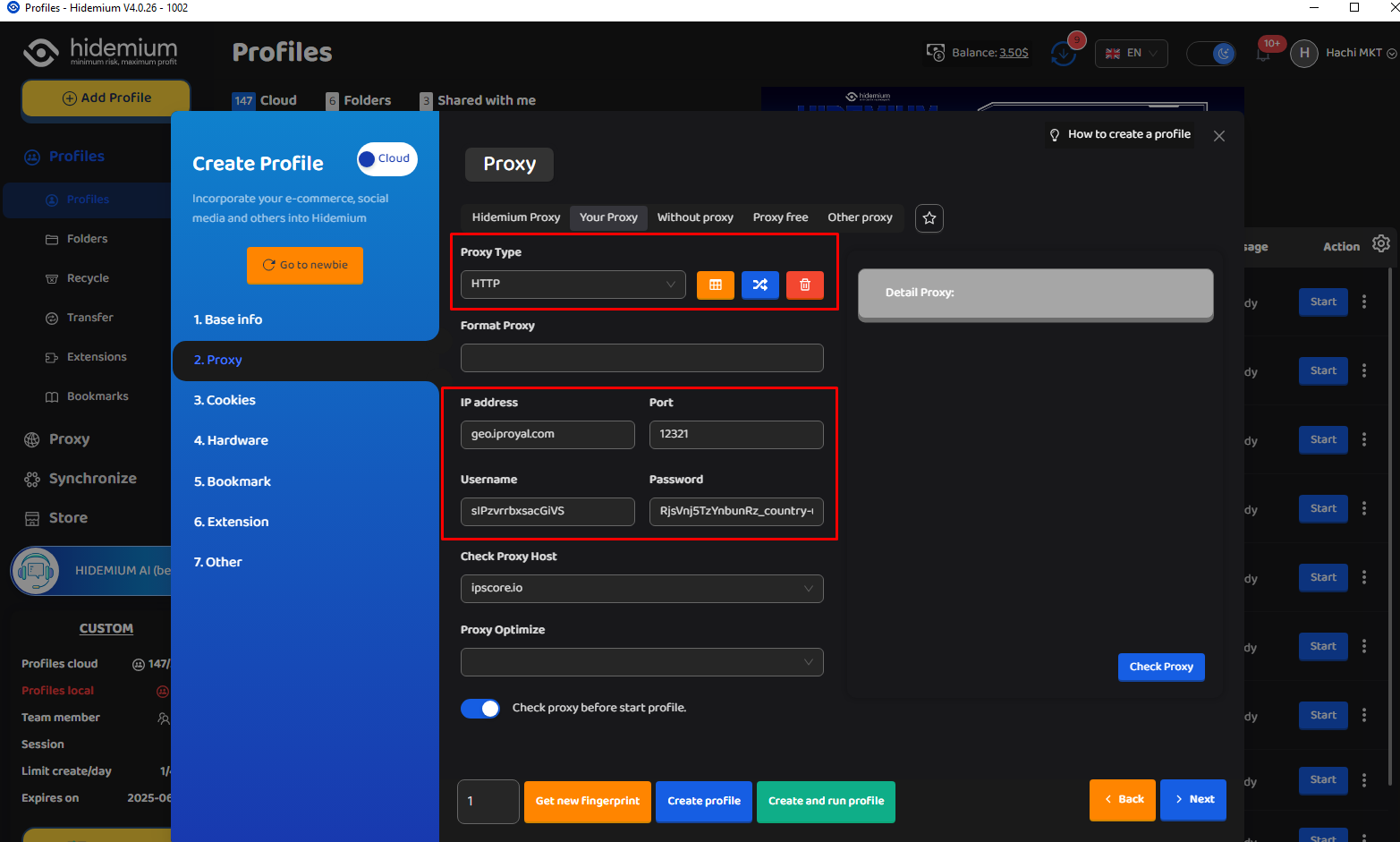
7. At your Proxy, you choose Proxy Type as HTTP|HTTPS, then fill in the parameters in Proxy as the IP parameters Royal provided
After filling in all the information such as: IP Address, Port, Username and Password, click on Check Proxy to see if it works, then select Create profile with Hidemium.
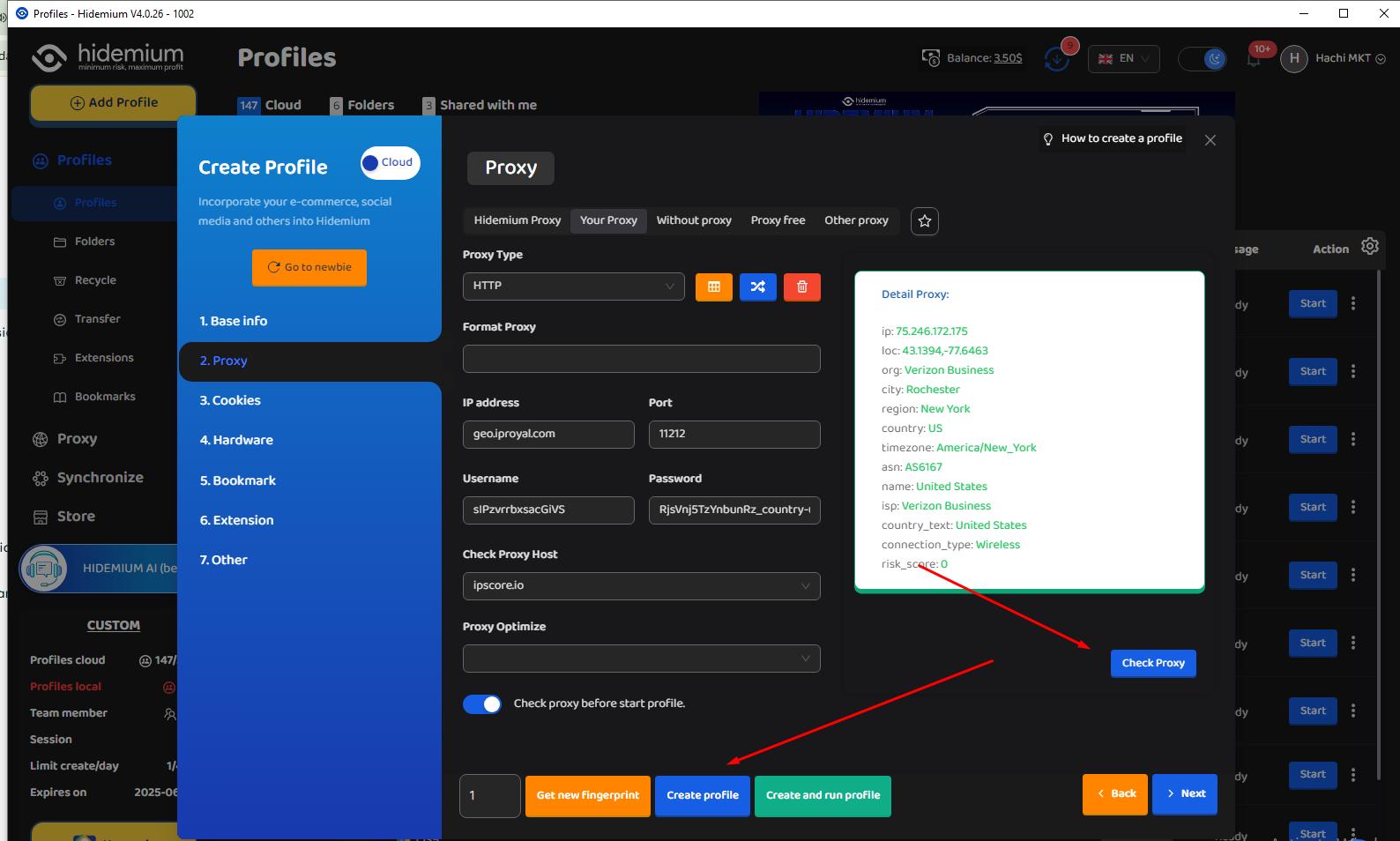
8. Then open the newly created profile and check the IP with any website you want.
If you're seeing the IP address and proxy information displayed, that means everything is set up correctly and your proxy is active. Enjoy using it!
Integrating IPRoyal proxies with Hidemium is a smart move for anyone looking to scale their online operations while maintaining top-tier privacy and control. With Hidemium’s robust browser profile management and IPRoyal’s diverse, high-quality proxy options, you get a reliable, flexible, and secure solution — perfect for everything from multi-account management to geo-targeted research.
Whether you're a seasoned marketer, a data-driven developer, or just starting out, this setup puts powerful tools at your fingertips. Try it out today and experience a safer, smoother, and more efficient way to browse and manage your digital presence.
Related Blogs

Are you starting your content creation journey and struggling to get free YouTube views? Getting your first 1,000 views can be a big challenge, especially if you don’t want to run ads or use support tools. However, it is completely possible to get free YouTube views without using tools and without running ads if you apply the right strategy. In this article, you will discover effective, safe and[…]
Captcha is a popular security tool used on websites to prevent suspicious activities from automated programs (bots). However, Captcha can sometimes be frustrating for users, especially when fast access is needed or when the Captcha becomes overly complex. In this article, we will explore 7 effective ways to bypass Captcha in 2025, allowing you to overcome these barriers legally and safely.1. What[…]

Websites are always on the lookout for bots. If your data collection tool is recognized as automated, it will be quickly blocked. Today, most platforms deploy advanced detection technologies such as CAPTCHAs, browser fingerprinting, and behavioral tracking to prevent bots.When collecting data at scale for SEO, ecommerce, or market research, getting blocked not only wastes your time, but also[…]
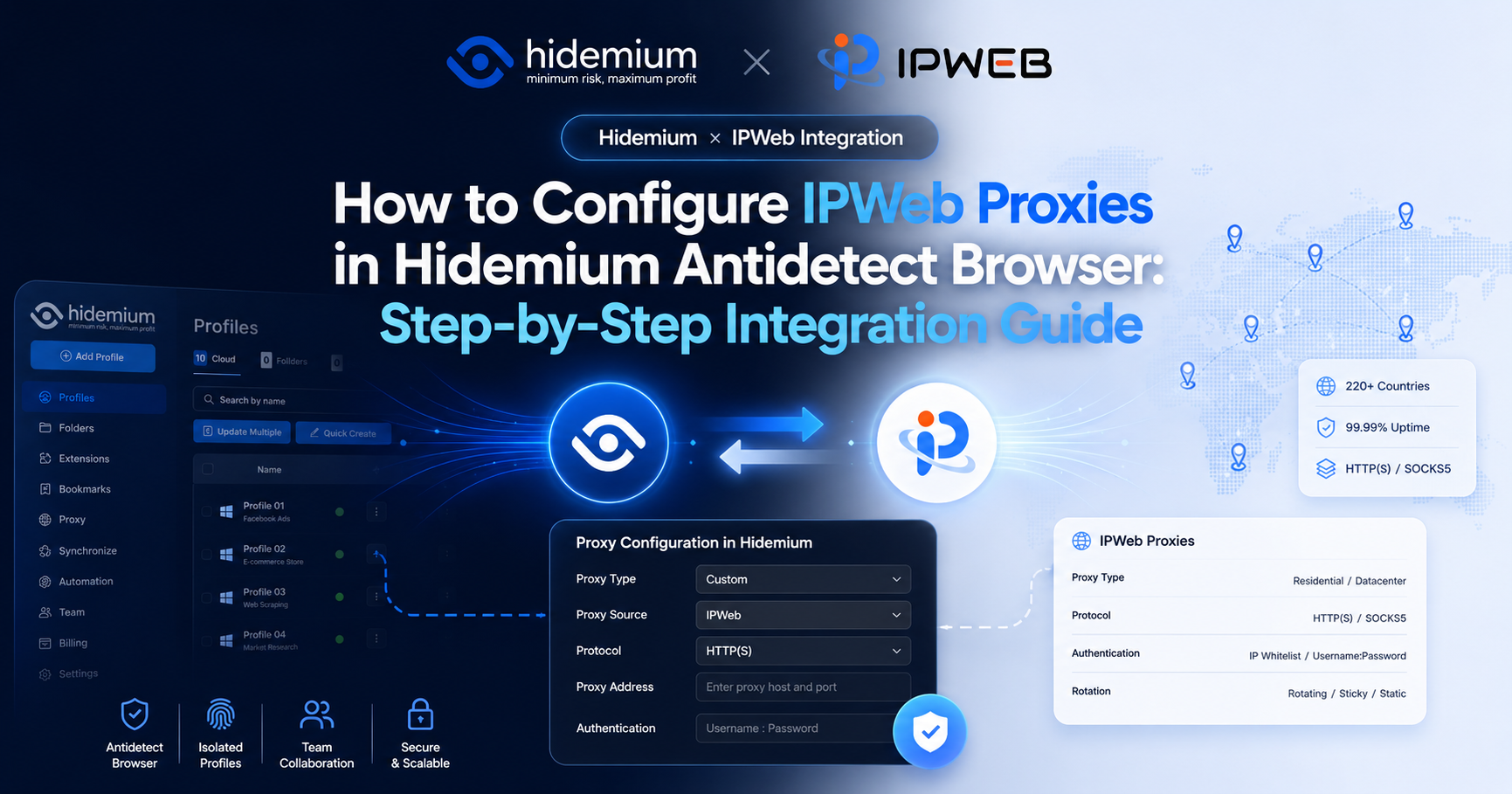
By using IPWeb with Hidemium, users can select proxies from different countries, regions, and proxy types based on the actual needs of each browser environment.This guide uses IPWeb static residential proxies as an example and walks through the entire process, from obtaining an IPWeb proxy to creating a Hidemium browser environment, entering proxy information, and testing the connection.1. IPWeb[…]

In 2025, the need to manage multiple accounts on platforms like Facebook, Amazon, or TikTok is increasing, especially for affiliate marketers, e-commerce shop owners, and digital advertising experts. Indigo Browser, an antidetect browser aimed at the Russian market, was noted for its simple interface and basic fingerprinting capabilities. However, with limitations in performance, features, and[…]

Whether you are a dedicated mobile gamer looking for a competitive edge on a larger screen, an app developer testing a new interface, or someone who manages multiple accounts across platforms, finding the best android emulator is the key to a seamless experience. For those involved in multi-account management or automation workflows, the choice of emulator — and how you pair it with the right[…]
