How to fix dns_probe_finished_nxdomain error on phone

Error dns_probe_finished_nxdomain on the phone often makes users unable to access some websites, even though the Internet connection is still working normally. Don't worry! In this article, Antidetect Browser Hidemium will guide you through how to fix this DNS error simply and effectively, restoring web accessibility in just a few steps.
1. What is dns_probe_finished_nxdomain error?
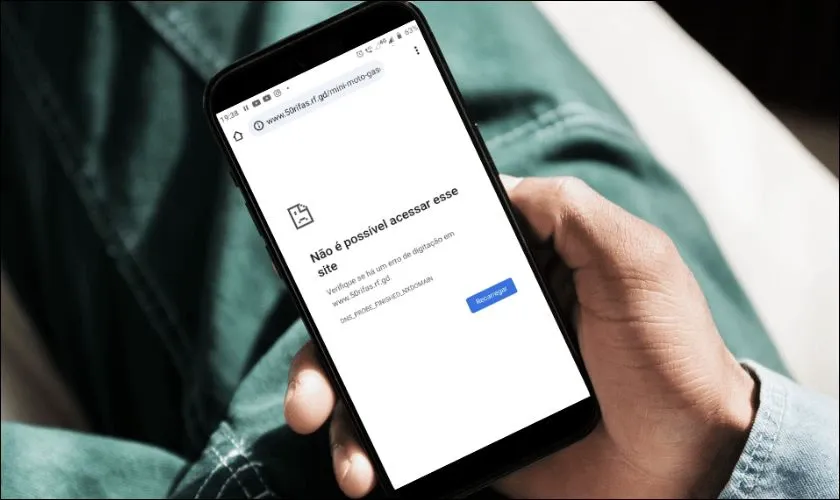
Error DNS_PROBE_FINISHED_NXDOMAIN occurs when the browser is unable to resolve the domain name you are visiting into its corresponding IP address. This results in the message"NXDOMAIN", which means the domain name does not exist or the host cannot be found.
>>> Learn more: What is DNS 1.1.1.1? Easy guide to install & change DNS 1.1.1.1
2. Signs of dns_probe_finished_nxdomain error on phone
You can easily detect this error through the following symptoms:
Certain websites are inaccessible, while others work fine.
Other devices on the same network can access the website, but your phone cannot.
The screen displays error messages such as:“Server not responding” or “DNS server not responding”, indicating that the DNS server is not responding.
>>> Learn more: How to Fix "Network Blocking Encrypted DNS" Error on iOS
3. Common causes of dns_probe_finished_nxdomain error
Error dns_probe_finished_nxdomain can originate from a variety of causes, including:
Incorrect URL entered: If you type the domain name incorrectly, the browser will not be able to access the corresponding IP address correctly.
Problem from DNS server: The DNS server being used is faulty or unstable, which can cause domain name resolution to fail.
Inappropriate VPN or Proxy Settings: VPN or Proxy applications can change DNS settings, causing conflicts and errors.
Incorrect network configuration: Errors in the configuration of IP addresses, DNS or gateways on the phone are also common causes of DNS errors.
>>> Learn more: What is Chrome net internals DNS? How to clear DNS cache in Chrome
4. Instructions to fix dns_probe_finished_nxdomain error on phone simply and effectively
Error dns_probe_finished_nxdomain is one of the common problems that prevent the phone from accessing the Internet. In this section,Hidemium will guide you how to handle this error quickly and easily right on your mobile device.
4.1. Change the web browser you are using
When you encounter the dns_probe_finished_nxdomain error, you can try switching to other browsers such as Microsoft Edge, Firefox, instead of default browsers like Google Chrome good Safari. Changing browsers can help fix temporary DNS errors and improve your browsing experience.

4.2. Reset Wi-Fi connection
If switching browsers doesn't solve the problem, it's possible that the problem lies with your Wi-Fi network configuration – specifically, your static IP settings don't match your device's dynamic IP. Follow these steps to reset:
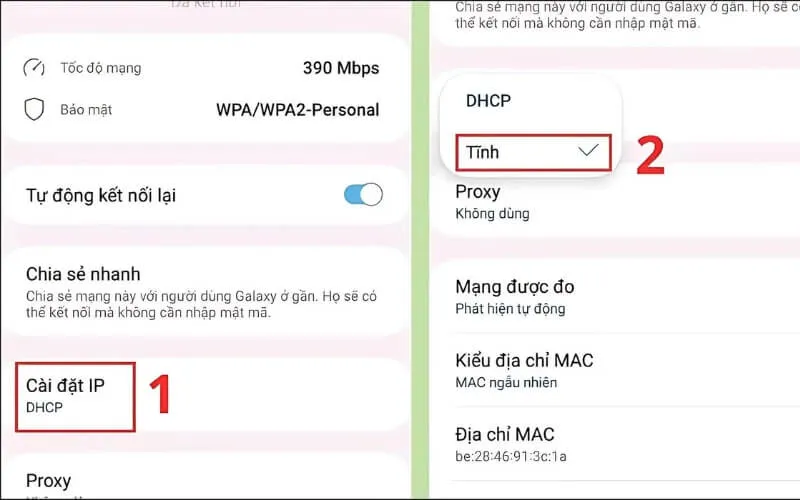
Step 1: Access the application Setting on phone → select item Connect→ click on the icon gear of the Wi-Fi network you are using.
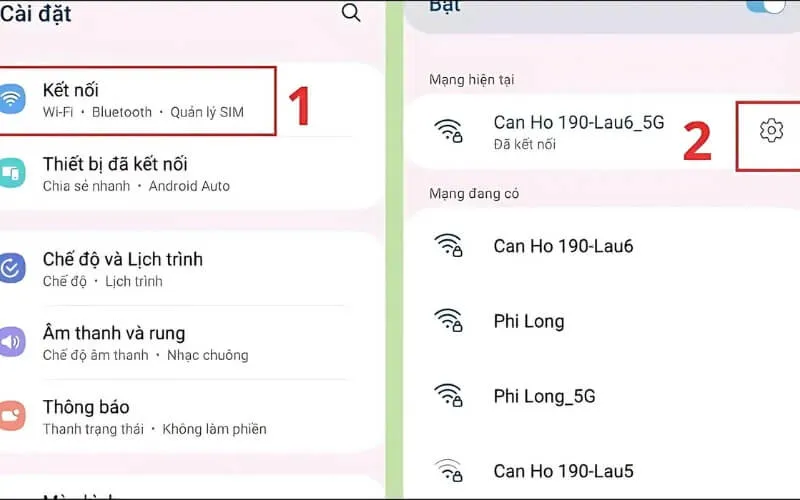
Step 2:Select section IP Settings and switch to mode Static.
Step 3:Enter complete information including IP, DNS1, DNS2 and Gateway, then press Save to complete.
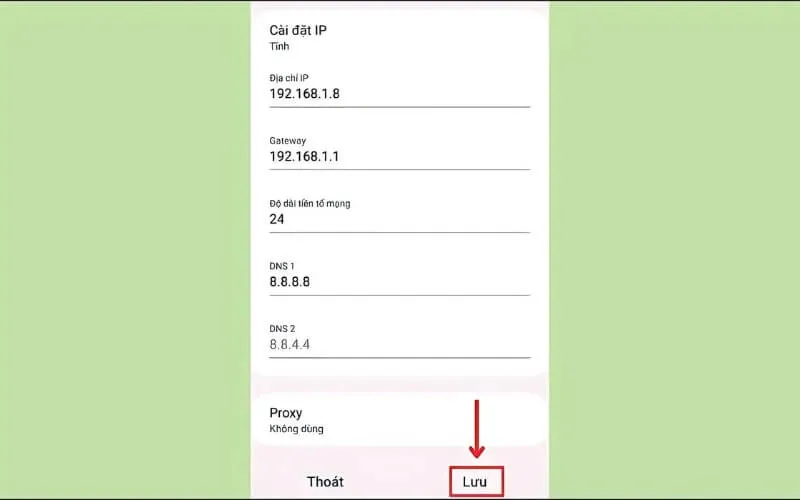
With the three simple steps above, you can fix the error. dns_probe_finished_nxdomain and restore network connection easily.
Above are ways to handle dns_probe_finished_nxdomain errors on your phone that you can do yourself at home. Hopefully the information from Hidemium will help you quickly fix problems and maintain a stable connection. Don't forget to follow us for more useful tech tips!
>>> See related articles:
Related Blogs
Imagine you are relaxing after a day of work by playing a game on your browser, when suddenly a message appears: “Your browser does not support WebGL.” This will definitely make you upset as you cannot continue your experience.At that point, you might be wondering: “Is there anything wrong with my device?” Don't worry! The problem is not with your device, but usually WebGL is not enabled in the[…]
An undetectable browser, also known as a browser antidetect or anti-detection browser, is an essential tool for users to protect their online privacy and manage multiple accounts without detection. However, using unreliable antidetect software can result in various risks, such as data leaks, account bans, poor performance, and malware threats. In this article, we will analyze the potential[…]
.png)
The Secret to Flawless Writing in the AI Era: A Deep Dive into BypassGPT and Undetectable AILet’s be honest: the way we write has changed forever. Whether you are a college student pulling an all-night session or a non-native English speaker trying to land a remote job, AI has likely become your silent co-pilot. But there is a growing shadow over this digital revolution—AI detection.You spend[…]
Choosing the right proxy provider requires careful consideration of speed, stability, security, and customer service quality. In this article, we provide a detailed review of Naproxy, one of the most popular proxy providers today. By analyzing performance, reliability, and security features, you'll gain a comprehensive understanding to decide whether Naproxy is the right proxy solution for your[…]
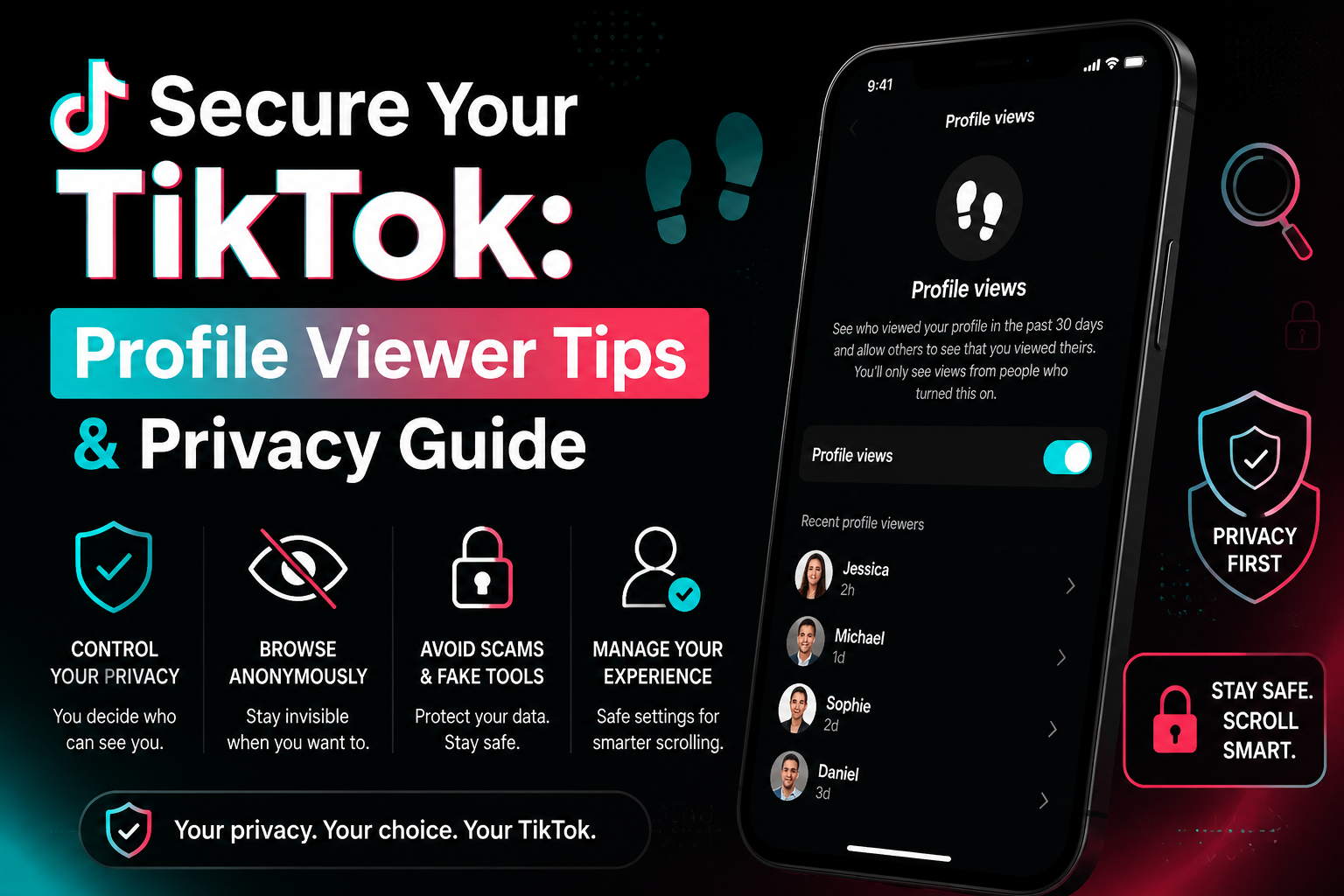
How to see who viewed your profile on TikTokWe've all been there: you're deep-diving into a new coworker's account at 2 AM and suddenly freeze. Can they see that I'm here? It is a common panic for anyone wondering how to see who viewed your TikTok profile. According to TikTok's official Help Center, the platform does actually have a native footprint tracking feature, but it might not work exactly[…]

How to get my marketplace backHow to Recover Access to Your Marketplace AccountWaking up to find that you have lost access to your primary digital selling platform can send even the most seasoned seller into a panic. Whether you rely on social commerce to declutter your garage or to run a full-time business, being unexpectedly locked out impacts your bottom line. If you find yourself desperately[…]
