IPFoxy Proxy for TikTok: Full Review & Setup Tutorial


IPFoxy TikTok Proxy Review: Performance and How to Test Them
TikTok’s global reach demands reliable residential proxies to avoid IP hopping flags and boost local traffic. Yet most proxies fall short—data center IPs get blocked, cheap options risk contamination, and blacklisted IPs trigger bans.
Now we test IPFoxy’s residential proxies and share a review and tutorial to dodge these risks.
1. Why Does TikTok Require Residential Proxies?
As one of the world’s most popular short-video platforms, TikTok users and operators often face these challenges:
- Multi-Account Management: Avoid association risks when managing multiple accounts.
- Local Account Access: Unlock geo-specific content or trending hashtags for local traffic advantages.
- Marketing & Data Monitoring: E-commerce and ads require precise regional targeting.
IP Stability: Frequent IP changes may trigger TikTok’s risk controls, leading to issues like zero views.
Residential proxies, with their authentic home IP addresses, effectively mimic local user behavior, making them essential for TikTok operations.
2. What Is IPFoxy Residential Proxy?
IPFoxy is a premium proxy provider specializing in dynamic/desicated residential IPs and data center IPs. Covering 200+ countries/regions, its services cater to social media management, cross-border e-commerce, and data modeling. Key features include:
- High Purity: IPs from real residential networks reduce platform detection risks.
- Massive IP Pool: Over 50 million residential IPs claimed.
- Protocol Support: Switch freely between HTTP(S)/SOCKS5 for diverse use cases.
3. IPFoxy Performance Tests
- Test Environment
Target IPs: U.S., Japan, U.K. residential IPs.
- Testing Tools:
- Ping0 (IP type & blacklist detection).
- Scamalytics (IP fraud risk score).
- ipjiance.com ( IP tool for geolocation & DNS leaks).
- fast.com (speed test).
Key Metrics
| Metric | Result | Rating (5★) |
| IP Purity | Scamalytics fraud score ≤30 (low risk); some IPs scored 0. | ★★★★☆ |
| IP Type | 99% confirmed as residential (Ping0), low risk score (3%-11%), no data center traits. | ★★★★☆ |
| Speed | Avg. latency: 110ms; download: 38Mbps. | ★★★★ |
| Geo-Accuracy | Location error ≤3km (ipjiance.com). | ★★★★★ |
| Anonymity | No DNS/WebRTC leaks; complete proxy headers. | ★★★★☆ |
| Cost-Efficiency | Dynamic IP: $15/GB; static IP requires custom pricing. | ★★★☆ |
Below are some screenshots of the results:
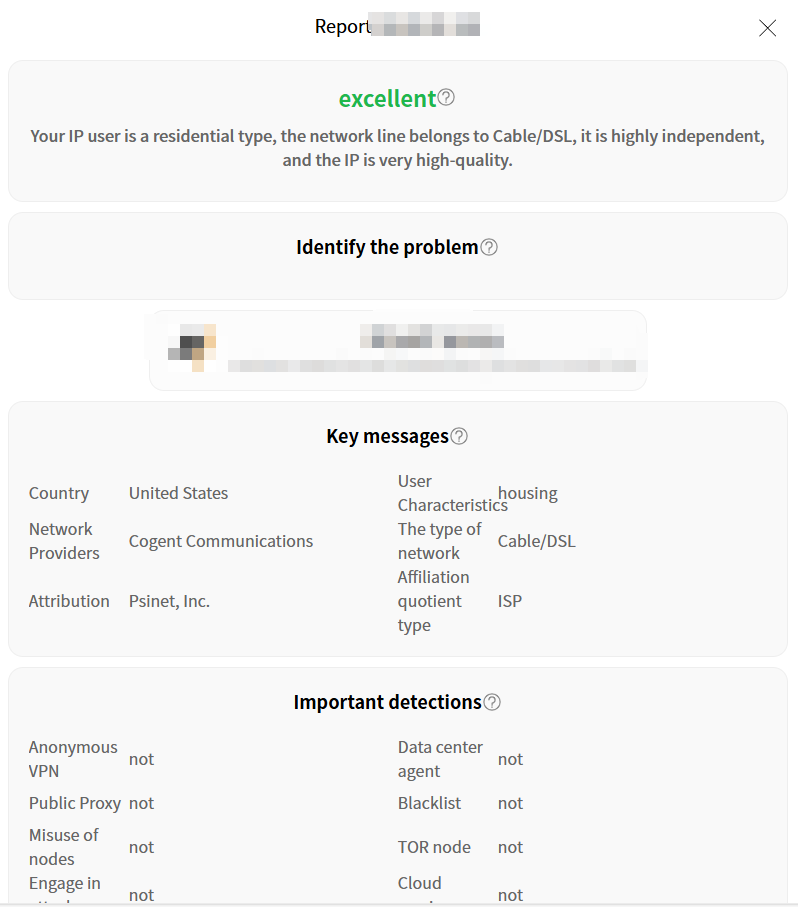
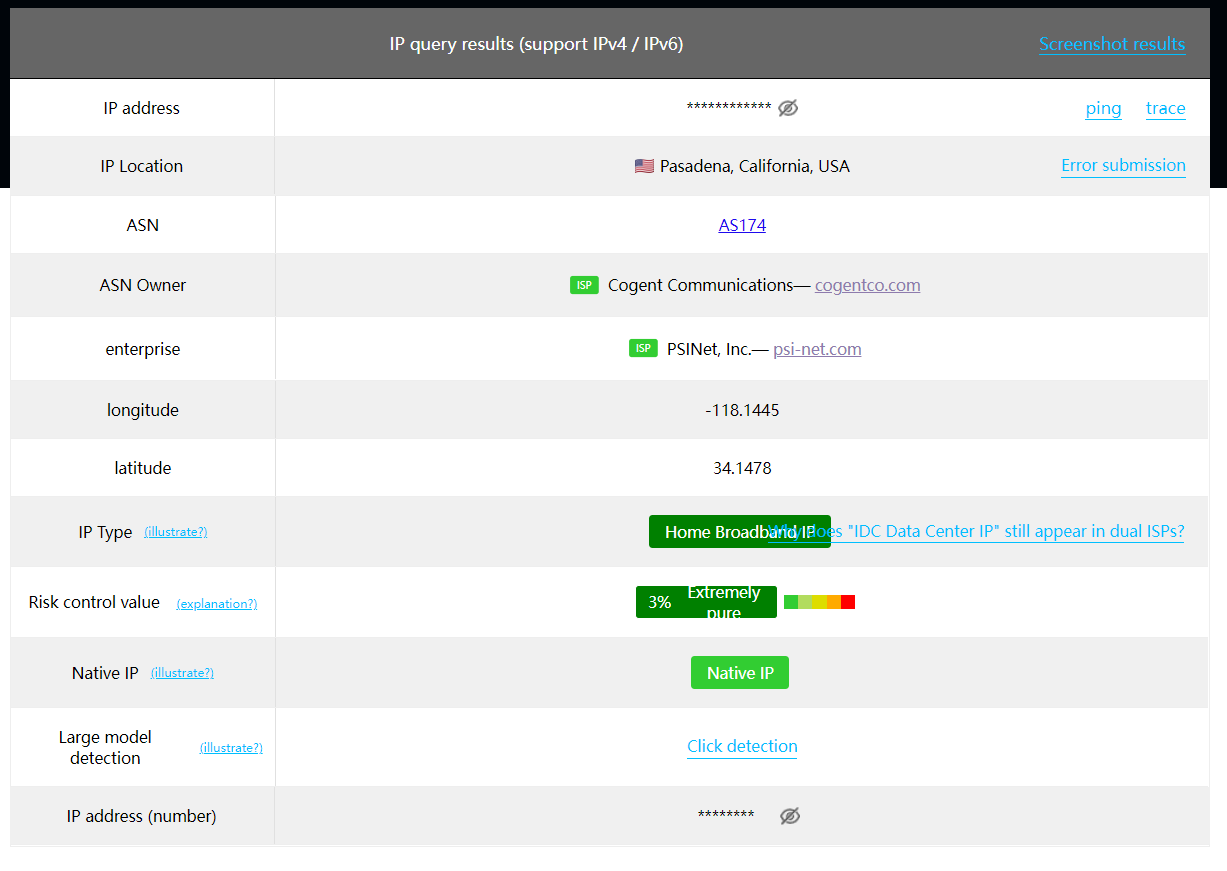
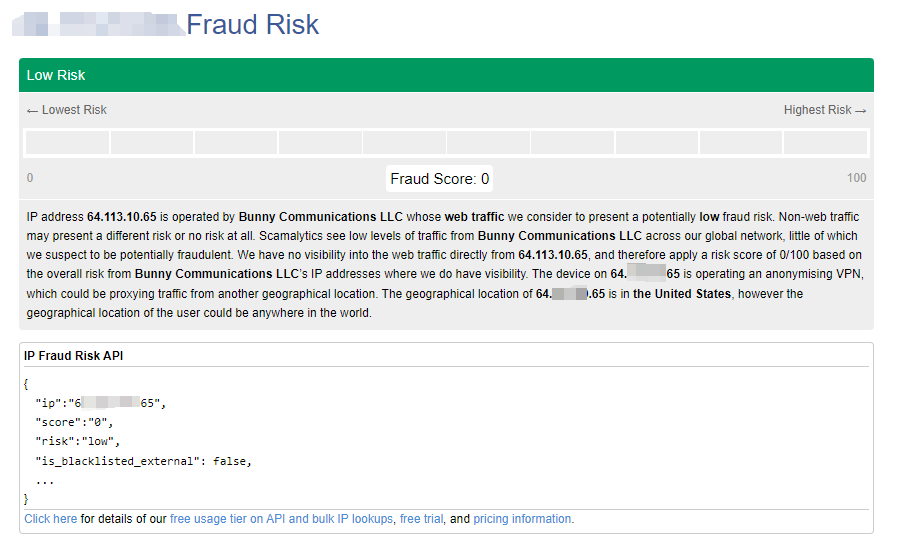
TikTok-Specific Tests
- IP Masking: Confirmed via ipjiance.com that IPs matched TikTok account regions.
- Risk Avoidance: High-risk IPs (Scamalytics score >75) triggered TikTok verification, while IPFoxy IPs (score <30) operated smoothly.
- Stability: 98.7% uptime over 24 hours (Ping0).
- Account Registration: Successfully created U.S./Japan accounts without SMS verification.
- Video Upload: 1080P videos loaded in ~8 seconds without lag.
4. IPFoxy Setup Guide (For TikTok)
Step 1: Sign Up & Purchase
Register on IPFoxy, choose residential rotating IP (pay-as-you-go) or dedicated IP (monthly plan).
After payment, obtain proxy details (address/port/credentials).
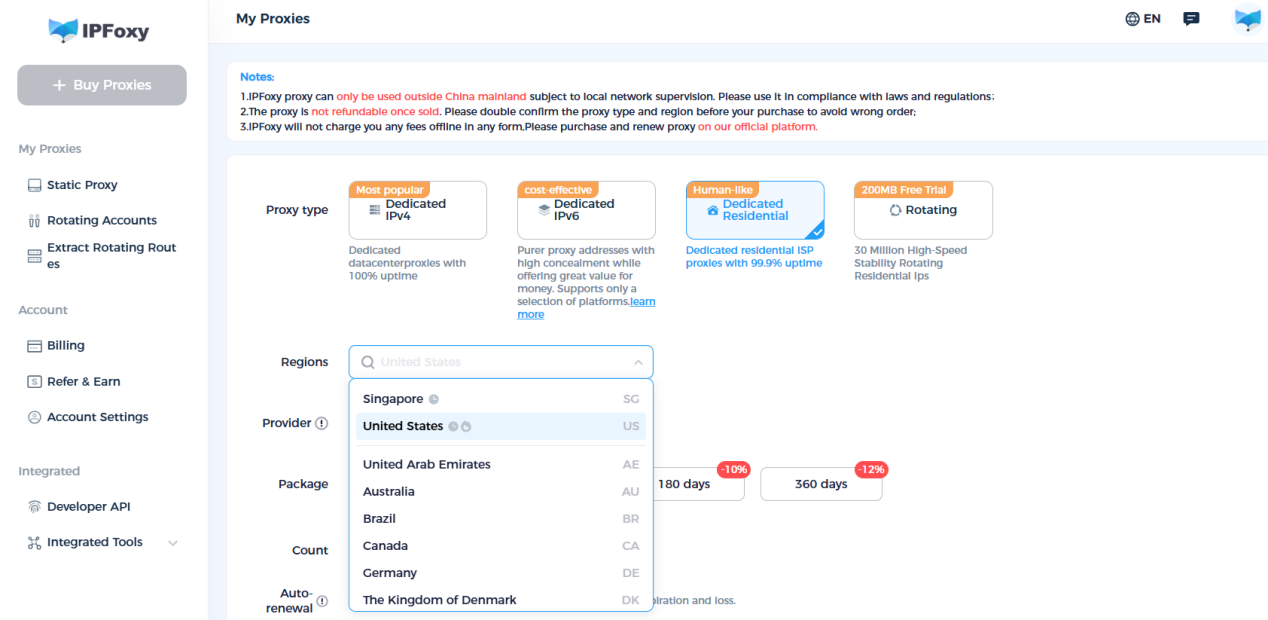
Step 2: Configure Proxy
Option A: Browser Setup (Single Account)
- Install a Chrome extension (e.g., FoxyProxy、ZeroOmega).
- Enter IPFoxy’s proxy details (HTTP/SOCKS5).
- Verify IP via IPapi or ipinfo.io.
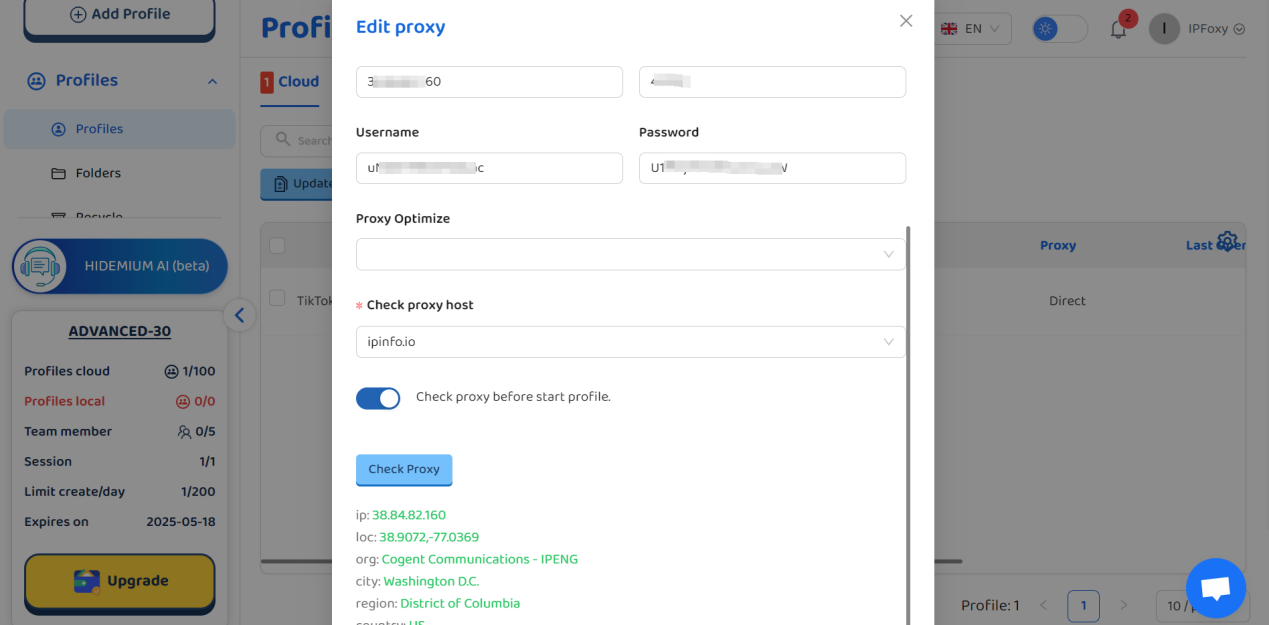
Option B: Anti-Detect Browser (Multi-Account)
Use Hidemium to create isolated browser profiles.
Assign unique IPs per TikTok account (format: username:password@host:port).
Step 3: TikTok Verification
Check if "For You" page aligns with target region.
Post a test video to monitor traffic.
Confirm account region under: https://www.tiktok.com/settings/account.
5. Pros & Cons
✅ Strengths
- High-quality residential IPs for long-term account growth.
- SOCKS5 support outperforms competitors.
- Responsive customer service.
❌ Considerations
- Dynamic IPs consume traffic quickly; budget accordingly.
- Limited IP availability in developing regions.
Conclusion
IPFoxy residential proxies offer reliability and cost-efficiency for TikTok operations, especially for small-to-medium multi-account management. Pair them with anti-detect browsers and localized content strategies to minimize risks.
Pro Tip: Always comply with TikTok’s community guidelines. Avoid frequent IP switches and prioritize localized content.
Related Blogs

In 2025, making 100 dollars online per day has become more realistic than ever. The rapid development of digital platforms and new business models has created opportunities for anyone to build a stable source of income right at home. In this article, Hidemium will introduce 21 legal methods that help you increase your profits, along with helpful tips to maximize your earning potential.1.[…]

Best Antidetect Browser for Ecommerce 2026Managing one online store is usually simple. Managing several stores, brands, client accounts, or regional teams is not.Each ecommerce account may use different cookies, sessions, proxies, extensions, and access permissions. Opening everything in one browser can lead to mixed sessions, wrong-account actions, or insecure password sharing.This is where an[…]
I. Introduction to B2Proxy Residential ProxiesB2Proxy Official WebsiteB2Proxy is a professional provider specializing in global residential proxy services, offering high-purity residential IPs sourced from real ISP home networks. These proxies are widely used in cross-border e-commerce, online advertising, data collection, social media management, and account registration and verification.Key[…]
.png)
According to a Stack Overflow survey, 76% of programmers are using or planning to apply AI to their work. However, the reality is that many teams still have to modify AI-generated content and code before they can use it.Therefore, the question "Which is better, Claude or ChatGPT?" is increasingly appearing in product, engineering, and operations teams. The issue is no longer whether AI can[…]

Accessing blocked websites in Vietnam is no longer too difficult if you know how to use it. Proxy through firewall properly. This is an ideal solution, which helps free internet access, just to make sure safety and security of personal information. Together Hidemium Antidetect Browser Discover the 3 most effective methods of using Proxy to bypass firewalls today.1. Use free Proxy websites to[…]

As scraping, automation, SEO monitoring, market research, and multi-account farming continue to grow in demand, proxy providers are evaluated based on three core factors: anonymity – stability – scalability.IPcook has become a platform gaining attention in the tech community thanks to its 55M+ IP pool, support for 185+ countries, multiple proxy types, and full API integration tailored for large[…]
