What Is Browser Fingerprinting and How It Tracks You
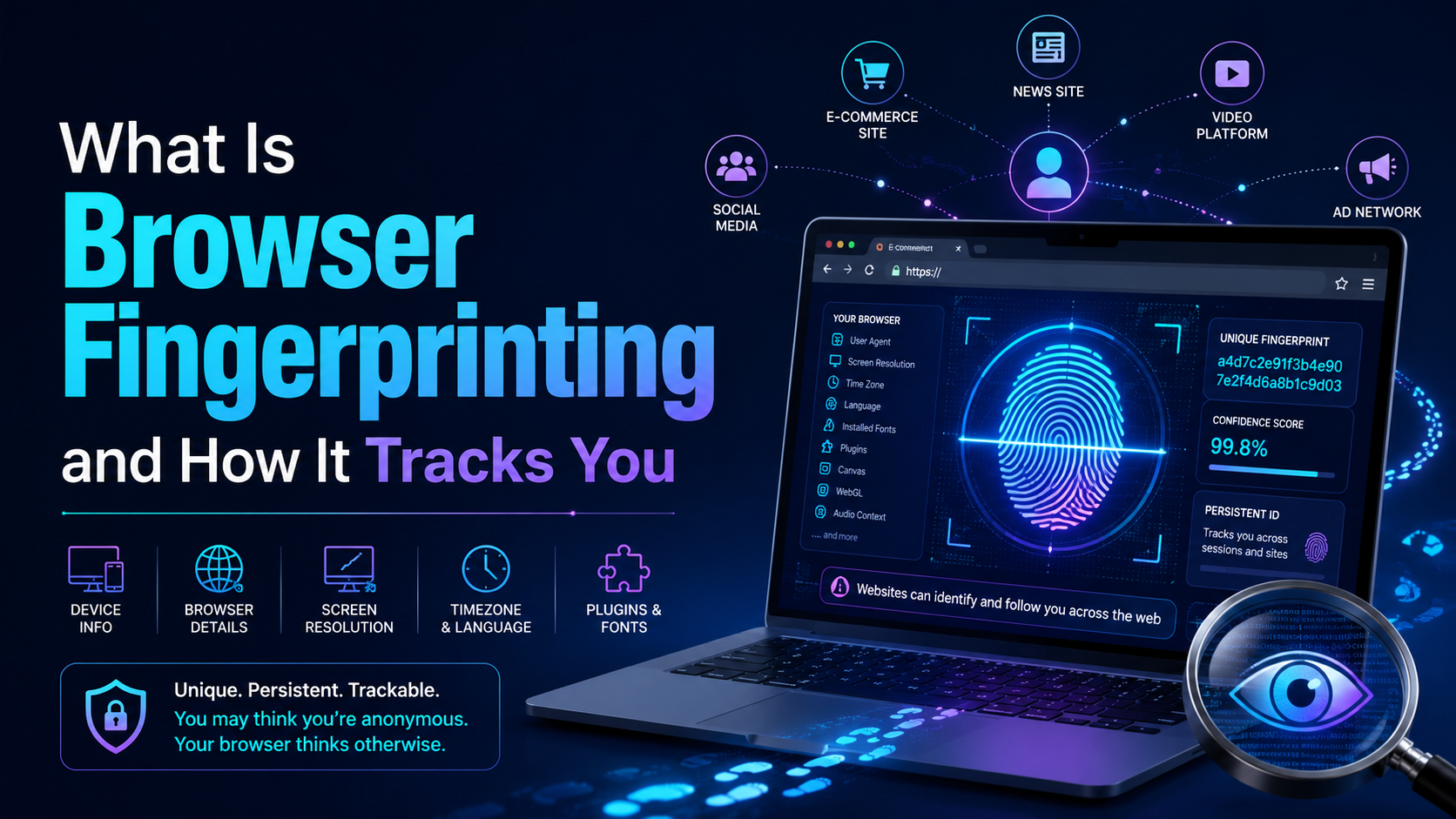

Have you ever heard of the Browser Fingerprint feature? It’s okay if you don’t know because most people rarely talk about it. Browser Fingerprinting is a highly accurate method to identify browsers and track online activity uniquely.
However, there is still a way to remove fingerprints from the Internet. But first, let’s start by exploring what is Browser Fingerprint and how does it work?
What is Browser Fingerprint?
Concept
– According to Wikipedia, Browser Fingerprint is defined as follows:
“Device fingerprint, machine fingerprint, or browser fingerprint is information collected about a remote computing device for identification purposes. Fingerprint can be used to identify all or part of a user, or an individual device even when cookies are disabled.”
That is to say; when you connect to the Internet on your laptop or smartphone, your device transmits a specific set of data to a receiving server about the websites you visit.
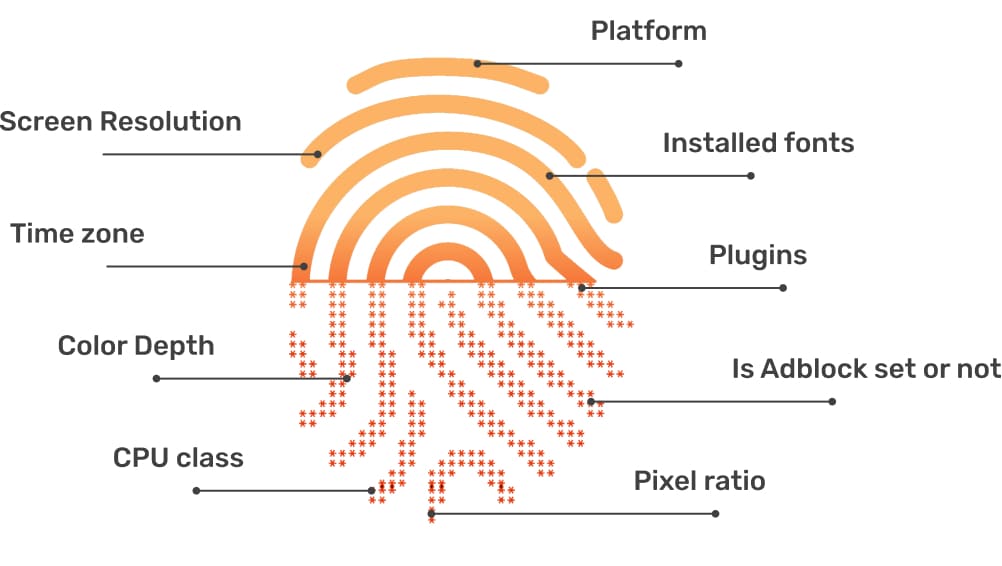
Browser fingerprint is an effective method that websites use to collect information about your browser type and version, as with the operating system, the plugin works, time zone, language, screen resolution, and many other operational settings.
Websites use browser-provided information to authenticate users uniquely and track their online behavior. This process is called “browser fingerprinting.”
For example
Most websites use your browser fingerprint to track your online journey. Most sites will use that data to personalize the advertisements and information they provide to you.
– When you use a search engine, you leave pretty sensitive data. Brokers collect these data for sale to interested third parties. Examples are health and life insurance companies.
- When a broker sells your data to an insurance company, the insurance company can determine that you are at risk to your health by the information you look up. From there, they charge higher fees.
- Online sellers will set prices based on your location. If your browser fingerprint shows you live in an affluent area, you may see an increase in prices in your browser.
How does Browser Fingerprint work?
How does browser fingerprinting work?
Browser fingerprinting usually works by adding JavaScript code to the website, which allows businesses or third parties to extract browser data and store it.
Websites collect massive amounts of visitor data. From there will use it later to match the browser fingerprints of known users.
This information does not necessarily reveal exactly who you are, your name, and your address. But it is precious for advertising purposes as businesses can use it to target the exact audience. These groups are formed by connecting people based on browser fingerprints.
Websites use different methods to track users across the Internet. The question arises: how do they collect information?
Cookies & Tracking
The most common way for websites to get your data is to use cookies. Cookies are packets of small text files that your computer stores. It contains specific data that may provide websites with information to improve user experience.
Websites remember and track individual computers and devices by downloading cookies (small packets of data) onto your computer.
Every time you visit a website, your browser will download cookies. The next time you visit the website, it will evaluate the data plans and provide you with a personalized, customized user experience.
Website uses cookie to track user behavior
Websites that use cookies to track user behavior – browser fingerprint
Check Canvas Fingerprint
The newest method to get browser information is called Canvas Fingerprinting. Simply put, web pages are written in HTML5 code, and in that code, there is a small piece of code that takes your browser’s fingerprint.
HTML5 is the coding language used to build web pages. It’s the core fundamentals of every website. The HTML5 coding language has an element called “canvas.”
Initially, the HTML
It means that the HTML5 canvas element generates specific data, such as font size and active background color setting of the visitor’s browser on the website. This information serves as the unique fingerprint of every visitor.
Contrary to cookies, canvas fingerprinting does not upload anything to your computer. So you won’t be able to delete any data because that data is not stored on your computer or device.
Browser Fingerprint and IP address
Indeed many people care about privacy on the Internet. IP address masking is an important method used to conceal online identities.
The IP addressing protocol sends a request to a receiving web server whenever a user interacts with a website or service. Because the receiving server needs an IP address to send a response, this also means that the IP address is a unique string of numbers that points directly to your device. Tech-savvy website owners can even track what other websites you visit and what accounts you’re logged into. And sometimes, even your geographic location is exposed.
Of course, it’s not that simple to do the above. But it’s scary when it can happen.
Is it possible to disable browser fingerprinting?
Browser fingerprinting is challenging to disable; you can’t do it. However, there are still ways to disable some data transfer processes in the browser fingerprint. For example, extensions like Noscript – disable JavaScript, etc. They make your browsing somewhat more private. Even so, these traditional methods will cause significant limitations affecting the browsing experience. Because without the information that the fingerprinting script collects, most web pages won’t show up.
Instead, you can consider a perfect solution with the Multibrowser anti-fingerprint browser. This software does not attempt to prevent the website from collecting browser fingerprints. Instead, it acts like an actual device while changing your canvas fingerprint, WebGL, IP address, and hardware device… so the website can’t recognize your natural fingerprint.
In short, browser fingerprints pose no direct danger to personal data or privacy. But it can make you uncomfortable in many situations, for example, when third parties get information to target ads to you. Or restricted rights on platforms for MMO people. So, try to refer to Multibrowser right away.
Related Blogs

How to Change MAC Address on Mac: Complete Privacy GuideIn today's hyper-connected world, protecting your digital identity has never been more important. Every time your Mac connects to a network, it broadcasts a unique hardware identifier that can be logged, tracked, and used to build a profile of your behavior. If you've ever wondered how to change MAC address on Mac, you're not alone — it's[…]

1. What is Captcha Typing for Money?Captcha (Completely Automated Public Turing test to tell Computers and Humans Apart) is a security tool used to distinguish real users from bots, by requiring them to re-enter distorted characters displayed in an image.Typing Captcha to earn money is the job of re-entering these characters on online platforms and receiving corresponding remuneration. After[…]

What Is Web Scraping?Web scraping is the automated process of extracting data from websites. Instead of manually copying information from web pages, web scraping tools send HTTP requests to websites, parse the HTML content, and extract structured data — which can then be saved to a database, spreadsheet, or used directly in applications.In 2026, web scraping has become an essential capability for[…]

In 2026, the MMO community is increasingly facing mass account suspensions even without clear policy violations. The main cause lies in managing multiple accounts within the same browser environment, making it easy for AI systems to detect overlapping digital fingerprints.That’s why antidetect browsers have become an essential tool for MMO users, dropshippers, affiliates, and multi-platform[…]
In the digital age, online user tracking has become commonplace, conducted for both positive and negative reasons. According to a report by Ghostery—a renowned provider of free software—over 79% of websites with unique domains use tracking tools to gather user data. Among these methods, canvas fingerprinting has emerged as a popular and effective technique. This article by Hidemium will help you[…]

In the field of information technology, Endpoint (terminal) is a term used to refer to devices that are capable of connecting to a network such as personal computers, smartphones, printers, IoT devices or routers. So What is Endpoint?, and what role does it play in modern computer systems? Together Antidetect Browser Hidemium Find out more details in the article below.1. What is an[…]
