

IPv6 (Internet Protocol version 6) is the latest Internet protocol designed to replace IPv4, which is gradually running out of available addresses. With its 128-bit length, IPv6 provides an almost unlimited number of IP addresses while also improving connection speed, security, and support for IoT devices.
However, not all users know whether their network already supports IPv6. Below are 4 simple and quick ways to check IPv6 on your computer or online.
Method 1: Check Online
The fastest way is to visit free IPv6 testing tools:
When you visit these sites, the system will display your current IP address. If you see an IPv6 address (a long string containing “:”), it means your network has IPv6 enabled.
Method 2: Check on Windows
Press Windows + R, type cmd, then hit Enter.
Enter the command:


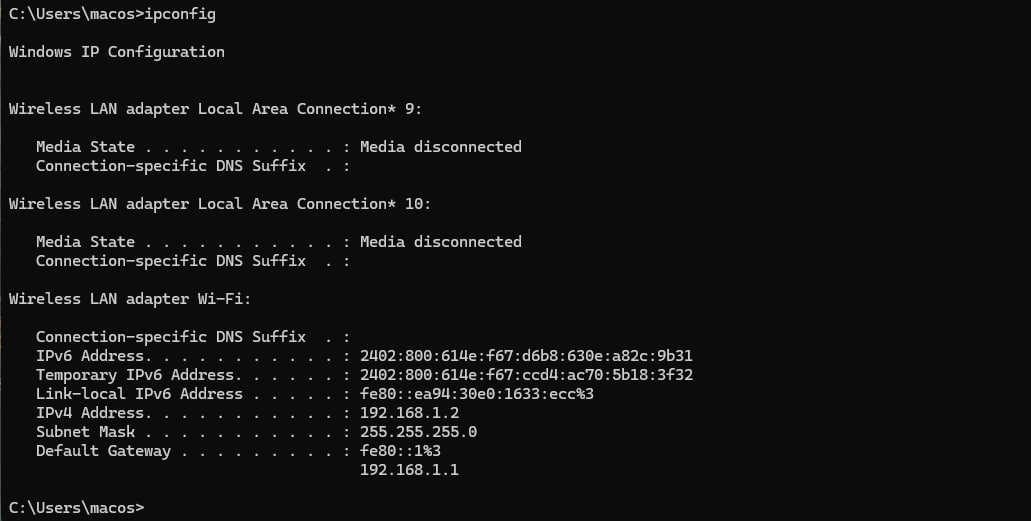
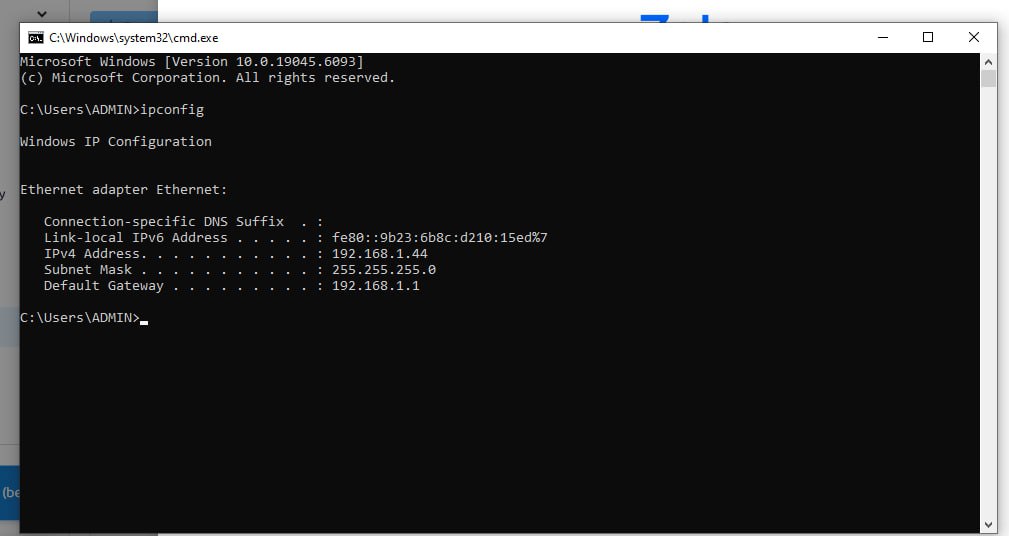
Look for the line IPv6 Address. If you see an address like 2405:4800:abcd:1234::1, it means you are using IPv6.
Using IPv6
Not Using IPv6
Method 3: Check on macOS or Linux
Open Terminal and enter:

or

If a long address containing colons appears (e.g., 2405:4800:xxxx:xxxx::1), it means your device is using IPv6.
Method 4: Check via browser
Visit https://whatismyipaddress.com or https://ipinfo.io.
If the site displays an IPv6 address instead of IPv4, your network is prioritizing IPv6.
Benefits of using IPv6:
No shortage of IP addresses: supports billions of devices connected simultaneously.
Improved speed and performance: more efficient data routing compared to IPv4.
Enhanced security: built-in IPsec reduces the risk of attacks.
Future-ready: compatible with 5G, IoT, Smart Home, and other upcoming technologies.
Checking whether your Internet supports IPv6 is very simple and only takes a few steps. If your modem/router hasn’t enabled IPv6 yet, contact your Internet provider for activation support.
IPv6 is the inevitable trend, offering faster speeds, stronger security, and more stable connections for users.
Related Blogs

In 2025, making 100 dollars online per day has become more realistic than ever. The rapid development of digital platforms and new business models has created opportunities for anyone to build a stable source of income right at home. In this article, Hidemium will introduce 21 legal methods that help you increase your profits, along with helpful tips to maximize your earning potential.1.[…]

Why Did You Get Banned Even After Using a Proxy?You carefully set up your proxy. Created a new email address. Used different devices. Yet your account was still banned within 24 hours.Why? A Proxy only hides your IP address — but your browser fingerprint doesn't.Every time you open Chrome or Firefox, the browser sends dozens of identification signals to the server: canvas fingerprint, WebGL[…]

Best Antidetect Browser for Dropshipping 2026Dropshipping may begin with one store, one supplier, and one operator. However, the workflow can quickly become more complicated when a business expands across multiple brands, markets, advertising accounts, storefronts, or team members.Each store may use its own email address, cookies, login sessions, product research tools, advertising accounts, and[…]

In the fast-paced world of social commerce, AI UGC Video Generator tools have become game-changers for brands and creators who need scroll-stopping content without the hassle of traditional shoots. These platforms let you turn product images or simple prompts into realistic user-generated-style videos in minutes.I spent weeks testing popular options—uploading products, tweaking scripts, and even[…]
Managing multiple online identities or scraping data securely requires more than just a browser extension — it demands a reliable proxy solution. If you're using Hidemium, a popular anti-detect browser, combining it with QuarkIP’s high-quality proxy services can take your anonymity, stability, and performance to the next level.In this guide, we’ll walk you through how to set up QuarkIP proxies in[…]
Pixel Tracking is an effective data tracking solution that helps businesses understand user behavior and adjust their marketing strategies accordingly. By recording each action such as clicking, scrolling, or purchasing,Tracking Pixel Provides a comprehensive view of the customer journey. Let's Hidemium Explore in detail how this technology works and the benefits it brings.1. What is Tracking[…]
